


Cloud storage makes it easy to store and access files from anywhere, but it also introduces real security risks. Every time you upload sensitive data, you rely on a provider to protect it from breaches, unauthorized access, and data exposure.
Not all cloud storage services offer the same level of security. Some lack zero-knowledge encryption, while others fall short on privacy controls or account protection features.
In my evaluation of cloud storage providers, I focused on the tools that take security seriously without making everyday use difficult. In this guide, I share the six most secure cloud storage solutions for 2026, based on encryption, privacy features, and overall usability.
- Sync.com: Best for private, easy-to-use, secure file sharing
- IDrive: Best for low-cost backup across multiple devices
- Microsoft OneDrive (Microsoft 365): Best for Microsoft users needing compliant storage
- pCloud: Best for secure storage with flexible sharing
- NordLocker: Best for encrypting sensitive files before sharing
- Internxt: Best for open-source, privacy-first cloud storage
Top secure cloud storage solutions comparison
Here’s a quick comparison of the most secure cloud storage solutions, including use cases, features, and compatible operating systems.
| Best for | Zero-knowledge encryption | Compatible operating systems | |
|---|---|---|---|
| Sync.com | Private secure sharing | Yes | Windows, Mac, Linux, iOS, Android |
| IDrive | Multi-device backup | Yes | Windows, Mac, Linux, iOS, Android |
| OneDrive | Microsoft users | No | Windows, Mac, iOS, Android |
| pCloud | Flexible secure storage | Add-on | Windows, Mac, Linux, iOS, Android |
| NordLocker | File encryption | Yes | Windows, Mac, iOS, Android |
| Internxt | Privacy-first storage | Yes | Windows, Mac, iOS, Android |
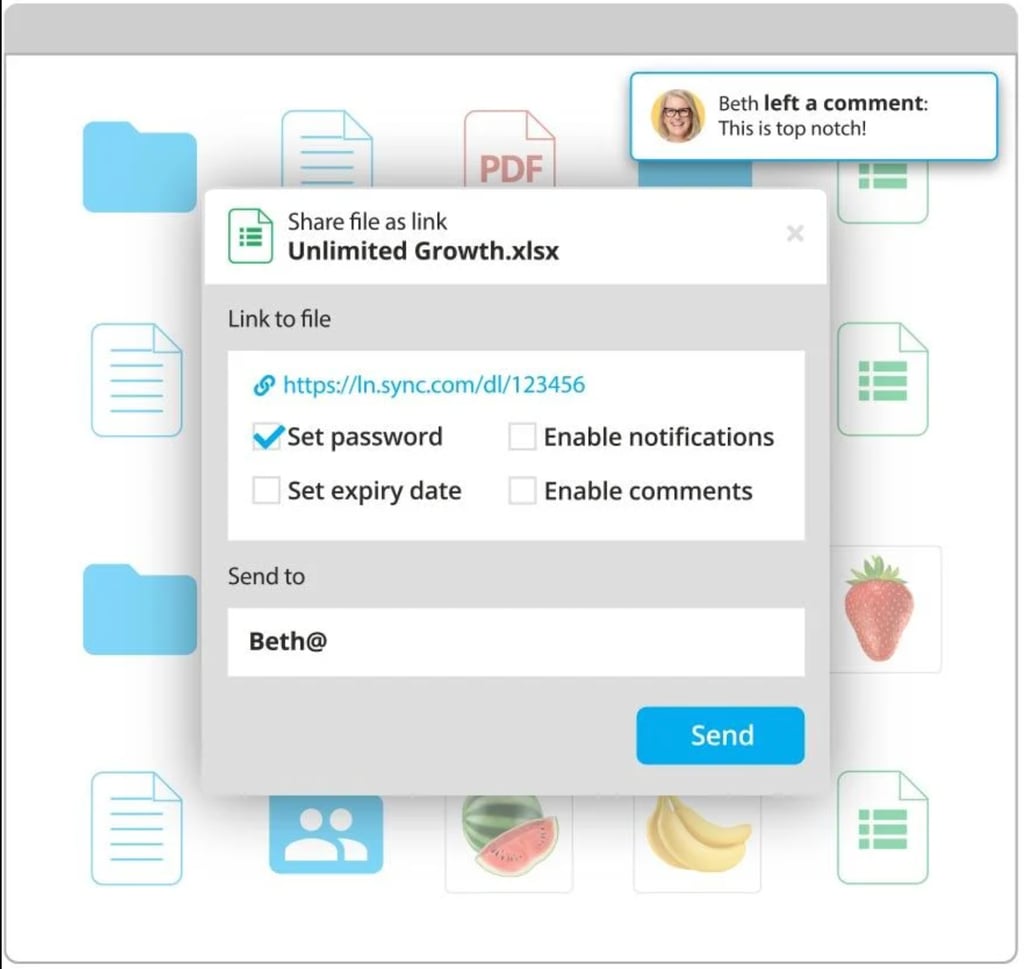
Sync stands out for its user-friendly design and simple administrative tools, making it a strong choice for both individuals and teams. Its clean web interface minimizes distractions, allowing users to focus on managing, sharing, and syncing files with ease, including drag-and-drop uploads. Most notably, Sync offers zero-knowledge encryption, meaning only you can access your data—no one else, not even the provider.
Pros
Cons
- Free plan: 5 GB of secure, encrypted cloud storage
- For individuals: Starts at $8.04 per month, billed annually
- For teams: Starts at $4 per user, per month, billed annually
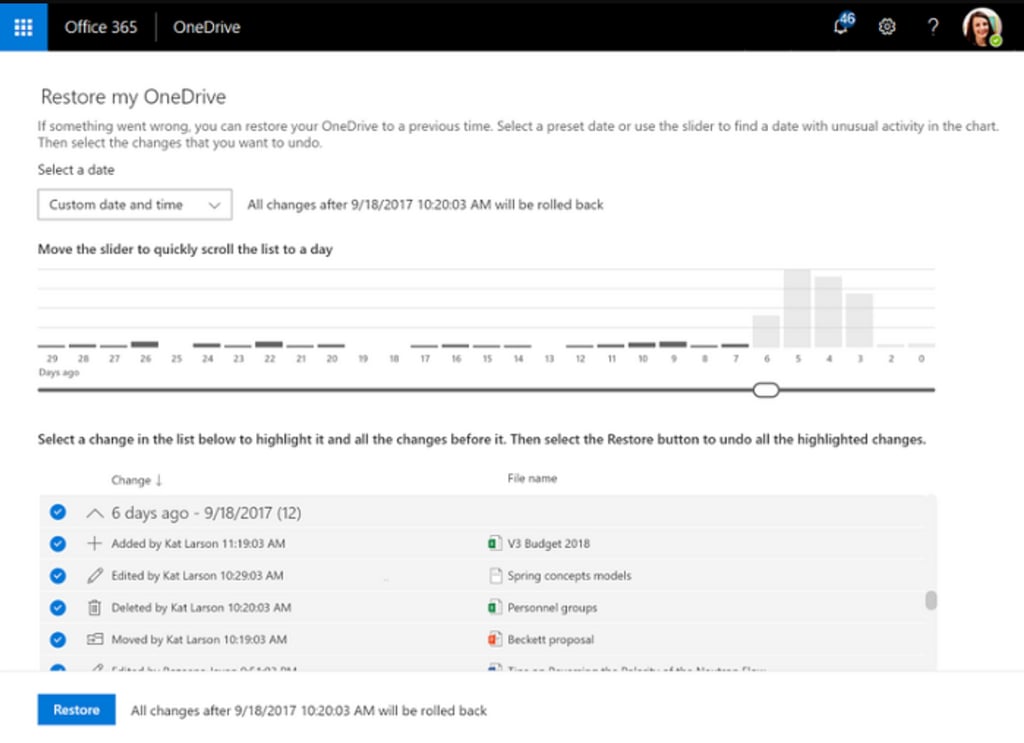
- Data recovery: Offers 30 days file history and recovery, with easy data restore settings.
- Authentication: Enables 2FA for new devices and SSO for direct log-ins.
- Intuitive user interface: Features login monitoring, file activities, and history.
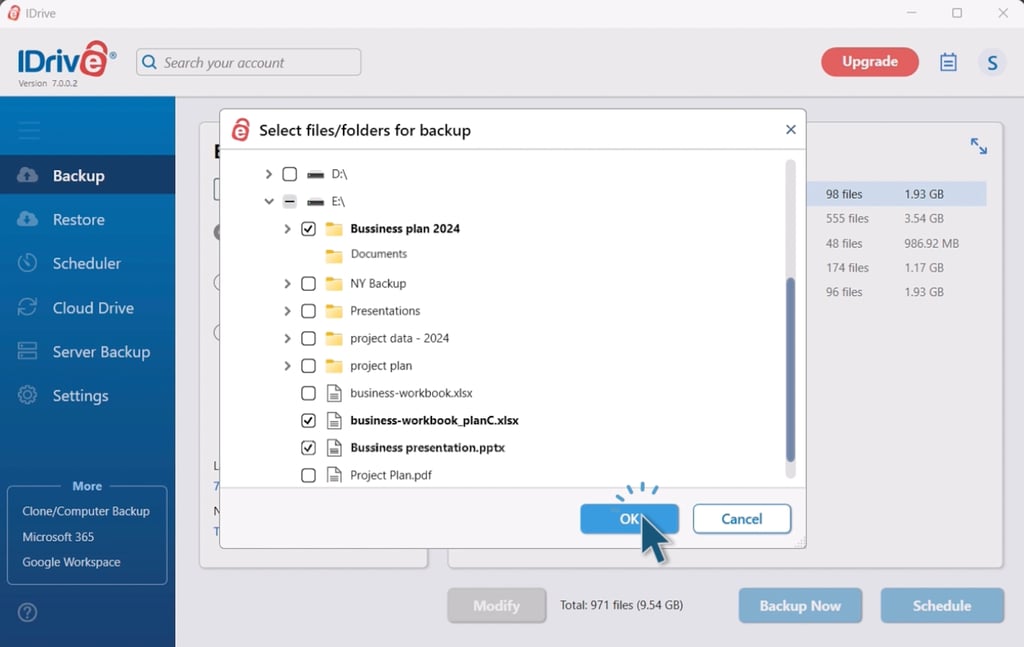
IDrive is an affordable cloud storage solution that combines online backup, file sharing, cloud storage, and local backup in one versatile platform. Designed for users seeking flexible data management, it offers many features for securely storing, accessing, and sharing files. With comprehensive functionality and strong security across devices and platforms, IDrive delivers an all-in-one approach to protecting your data.
Pros
Cons
- Free tier storage: 10 GB
- IDrive mini: $2.95 per year for 100 GB storage
- IDrive personal: $99.50 per year for 5TB storage
- IDrive team: $99.50 per year for 5TB storage
- IDrive business: $99.50 per year for 250GB storage
- Free demo: Video tutorials accessible anytime
- Zero-knowledge encryption: Transfers and stores files with 256-bit AES encryption.
- Files backup: Provides local backup to an external or network drive for all versions.
- Real-time sync: Updates files continuously to reflect the most recent changes.
- Disaster recovery: Delegates backup settings for easier file recovery.
OneDrive, now part of Microsoft 365, integrates with other Microsoft software, including Windows and Office. It can improve your data security and privacy by adhering to significant compliance certifications. If your enterprise is looking for regulatory compliance and effective data management within Microsoft’s space, consider OneDrive.
Pros
Cons
- Free tier storage: 5 GB via Microsoft 365
- Individual plans: Starts at $19.99 per year
- Business plans: Starts at $6 per user, per month, billed annually
- Collaboration: Allows users to work together on Office files and documents in real time.
- Personal vault: Stores sensitive files and uses an extra layer of verification for security (personal/family plans only)
- Virus scanning: Scans documents at download time via Windows Defender.
- Suspicious activity monitoring: Raises alerts when Microsoft notices potential attempts to illicitly access data.
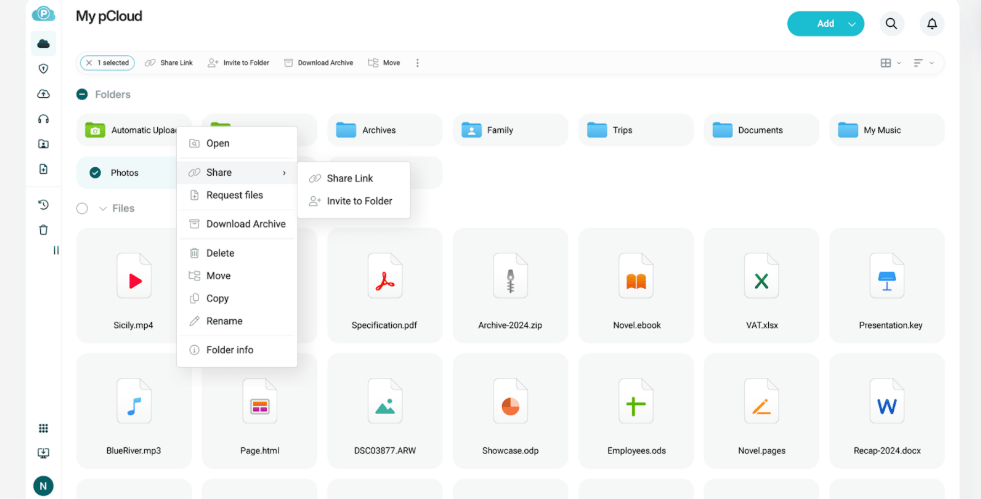
pCloud is a Swiss-based cloud storage provider that enables seamless access to your digital content across devices. With strong collaboration tools, mobile accessibility, and generous storage options, it supports both productivity and convenience. Backed by strict privacy laws and independent audits, pCloud puts user control and data protection at the forefront, making it a trustworthy choice for individuals and teams.
Pros
Cons
- Free tier storage: 10 GB
- Ultra 10TB: $29.99 per month or $299.99 per year, billed annually
- Premium plus 2TB: $9.99 per month or $99.99 per year, billed annually
- Premium 500GB: $4.99 per month or $49.99 per year, biled annually
- Lifetime plans: Starts at $199 (one-time payment)
- Device syncing: Manages file syncing between devices to ensure files are up to date.
- Secure file sharing: Allows you to share files with anyone while the admin assigns edit privileges.
- Restrictions: Controls user file access, external sharing, and editing permissions.
- Role management: Enables admins to provide segmented role-based access to files.
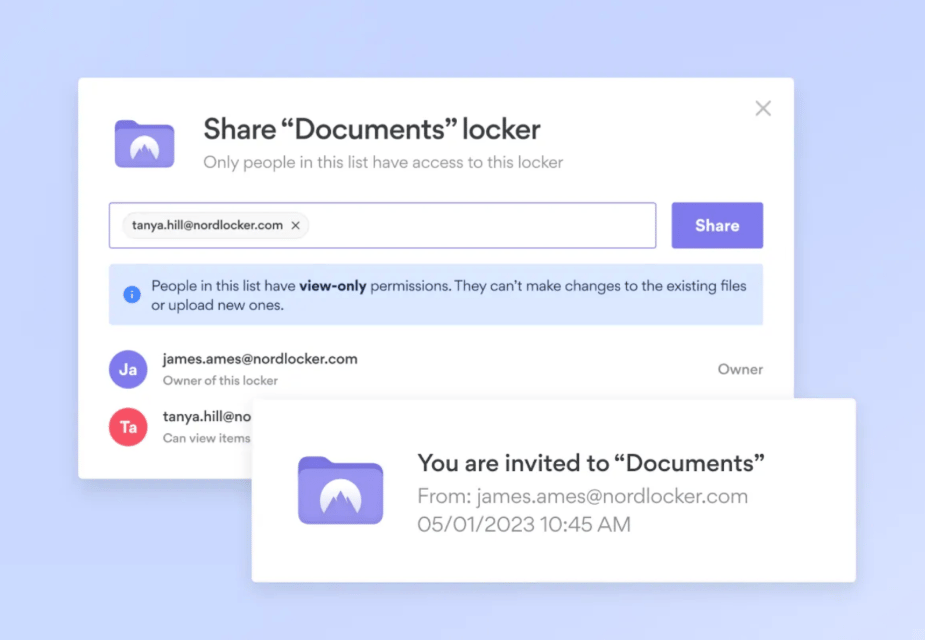
NordLocker is file encryption software built by Nord Security that uses strong encryption techniques to protect data privacy and security. It’s a feature-rich solution includes secure cloud storage, folder locking, file versioning, and cross-platform compatibility to improve data security and privacy. It also provides users a safe way to store and transfer data by encrypting it before uploading it to the cloud or sharing it with other devices.
Pros
Cons
- Free tier storage: 3 GB
- 500 GB: $7.99 per month or $2.99 per month, billed annually
- 2TB: $19.99 per month or $6.99 per month, billed annually
- Ransomware protection: Helps protect devices from malware with data encryption.
- Zero-knowledge architecture: Secures private files so only the data owner has access.
- State-of-art encryption: Keeps files safe via cryptography algorithms and next-gen ciphers.
- Secure sharing: Allows users to protect sent links with passwords and expiration dates.
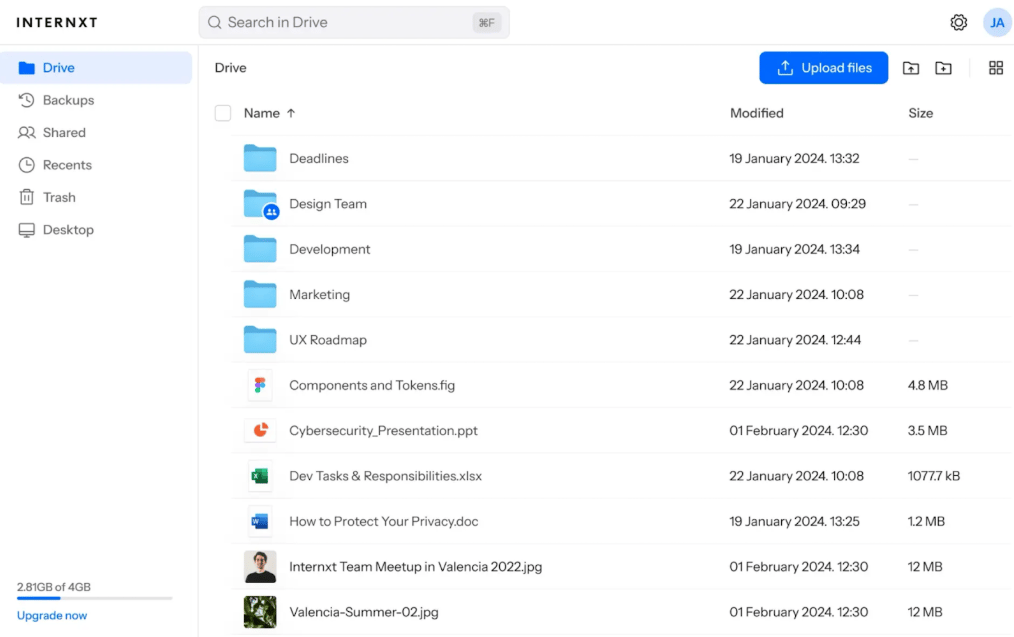
Internxt is a zero-knowledge cloud storage service that emphasizes security. It uses military-grade encryption and strict access controls to protect sensitive files. It supports cross-platform accessibility and collaboration, allowing users to share content securely. However, despite its strong security focus, Internxt has mainly received negative reviews from users, with many reporting serious issues related to performance and reliability.
Pros
Cons
- Free tier storage: 10 GB
- Annual plans: Starts at $28
- Lifetime plans: Starts at $445 (one-time payment)
- Privacy-focused design: Allows users to choose sharing and downloading limits.
- Open source: Makes code public on GitHub for anyone to review, audit, and verify.
- Zero-knowledge technology: Encrypts files so only users can access them.
- Accessibility: Requires no identity or email verification to start using the services.
Top 5 features of secure cloud storage solutions
The five primary features of secure cloud storage solutions — zero-knowledge encryption, secure data transfer protocol, file syncing and sharing, platform integrations, and backup and recovery — all play critical roles in protecting data. They maintain confidentiality, defend against illegal access during transmission, enable cross-platform collaboration, and provide reliability through backups.
Zero-knowledge encryption
Zero-knowledge encryption is a security technique in which data is encrypted locally on a user’s device so that the service provider or third parties cannot access or understand it. Only the client with the decryption key can unlock and read the data on their local device. This offers utmost privacy and security, as the service provider can’t view data that’s encrypted on the client side when it’s stored on cloud servers.
Secure data transfer protocol
Secure data protocols protect data in transit by encrypting it while it’s transmitted between the client and server. Protocols such as HTTPS and TLS are critical in cloud storage for protecting sensitive information during transmission, supplementing data-at-rest security techniques. They ensure that data is encrypted and secure while moving across networks, reducing the danger of interception and malicious access.
File syncing and sharing
File syncing features allow users to access files and collaborate on them across multiple devices in real time.These capabilities often include permission settings that control users’ access levels to files. It’s important in cloud storage because it allows for rapid collaboration and access to updated files while adhering to data-in-transit security regulations, which protect sensitive information while data is moving.
Platform compatibility
Platform integrations in cloud storage refer to compatibility with multiple operating systems (e.g., Windows, macOS, Linux) and mobile devices. It allows users to access their data from any device, increasing flexibility and productivity. Platform compatibility improves user collaboration and file management, catering to user preferences and improving teams’ overall experience.
Backup and recovery
Backup and recovery features in cloud storage routinely copy and store data to avoid loss and allow restoration in the event of data corruption, unintentional deletion, or system failure. For cloud storage providers, this is critical to assure data integrity, continuity of operations, and regulatory compliance. Reliable backup and recovery techniques reduce downtime, lower risks, and protect important business data.
SEE: OneDrive Cloud Usage Policy (TechRepublic Premium)
How I evaluated the most secure cloud storage solutions
To build this list, I used a predefined scoring rubric based on five core criteria, with multiple subcriteria for each. I scored each provider consistently and selected the six highest-rated solutions, with Sync ranking as the top overall pick.
This structured approach allowed me to compare features, pricing, and administrative capabilities fairly. I weighted each category based on importance, giving more priority to factors like zero-knowledge encryption over less critical features.
To account for real-world performance, I also reviewed verified customer feedback. Some users reported slower speeds across several providers, so I recommend testing free plans or trials when possible before making a decision.
Evaluation criteria
In my evaluation, I prioritized core features because they reflect what a cloud storage solution can actually do in practice. Security features, including zero-knowledge encryption, along with pricing and free options, followed closely behind.
I also considered ease of use and administration, focusing on how simple it is to manage users and navigate the platform. This includes documentation, training resources, and operating system support. Finally, I reviewed customer support options, including the availability of email, phone, and other channels.
- Core features (25%): I evaluated essential capabilities such as file sharing, backup, shared folders, and user activity monitoring to support collaboration and data protection.
- Pricing (20%): I compared pricing across individual and business plans, including entry-level and higher-tier options, as well as free plans or trials.
- Security features (20%): I assessed features like 2FA, document scanning, and password-protected sharing, with a strong emphasis on zero-knowledge encryption.
- Usability and administration (20%): I considered mobile apps, APIs, documentation, training resources, supported operating systems, and overall user feedback.
- Customer support (15%): I reviewed available support channels, response accessibility, and user resources such as forums and knowledge bases.
Frequently Asked Questions (FAQs)
Is cloud storage secure?
Cloud storage is generally secure due to the expertise and assistance of cloud security providers, robust data recovery capabilities, and specific security features such as threat defense integration. These elements help improve cloud storage systems’ overall security and reliability. While not all solutions offer the same level of security, technologies like zero-knowledge encryption help users better safeguard their data.
What are the risks of using cloud storage?
While cloud storage is a helpful tool, it also poses threats and challenges:
- Misconfiguration
- Data breaches
- Unsecured interfaces
- Unauthorized access
- DDoS assaults
- Insider threats
- Loss of control
- Encryption weaknesses
- Patching issues
Recognizing these risks enables businesses to develop informed risk management and mitigation strategies to properly protect their data.Read more about overall cloud security risks if you consider moving your business’s sensitive data to the cloud.
Do I lose ownership of my data if it’s in the cloud?
You retain ownership and control when you store your data in the cloud. You set the access rights, and your technical team may track its status as if the data were kept in-house. Cloud providers often have restricted access, and network administrators cannot view client data without permission. However, reviewing your provider’s privacy policy and discussing data ownership and access rights with your cloud vendor is critical.
What are the common challenges in data transfer?
Software selection affects issues for private clouds, but public clouds pose concerns regarding format, turnaround time, and assistance. Your contract with your provider should specify data format clarity, timely delivery, and exit plans with support to ensure smooth transitions.
Bottom line: Protect your files with secure cloud storage solutions
Protecting files with secure cloud storage entails selecting services with encryption, secure protocols, and backup. To effectively minimize risks and maintain data safety, comprehensive security includes combining cloud storage with other safeguards like multi-factor authentication, antivirus software, and knowledge of best practices. Cloud storage solutions typically provide free tiers and trials that allow enterprises to assess suitability before fully committing.
A secure cloud storage solution should complement other tools for comprehensive security. Consider integrating your cloud storage solution with a good password management tool for reduced vulnerabilities and enhanced overall data protection within the cloud environment.
