

This guide is for IT and security teams evaluating the best endpoint detection and response (EDR) solutions in 2026, covering top platforms and the features that matter most for threat detection and response.
EDR tools play a critical role in identifying and stopping threats at the device level by continuously monitoring endpoint activity and enabling rapid remediation. Modern solutions go beyond basic detection, offering capabilities like behavioral analytics, threat hunting, automated response, and integration with broader security ecosystems. For this 2026 guide, I analyzed leading EDR platforms and selected the top performers based on their features, capabilities, and overall effectiveness in today’s evolving threat landscape.
Here are my picks for the eight best EDR solutions in 2026:
Top EDR Solutions Compared
The following table briefly compares our top picks, including features like threat hunting, custom detection rules, and pricing details.
✔️=Yes ❌=No/Unclear ➕=Add-On
Based on my analysis, Microsoft Defender for Endpoint and Defender XDR stand out as the strongest endpoint protection options for many organizations. That said, each solution on this list offers robust capabilities, and the best choice ultimately depends on your organization’s specific security needs, infrastructure, and budget.
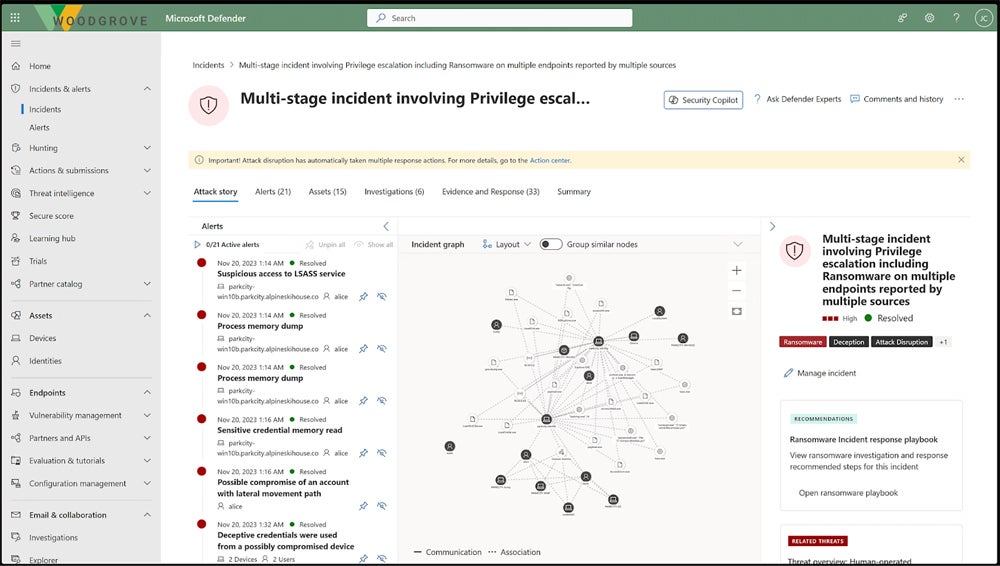
Microsoft Defender for Endpoint and Microsoft Defender XDR are comprehensive detection and response solutions that protect endpoints, identities, cloud apps, and collaboration tools within the Microsoft ecosystem. Microsoft has established itself as a leading security provider, with consistently strong MITRE ATT&CK evaluations and a deeply integrated security platform.
These solutions offer advanced capabilities such as automated threat detection and response, behavioral analytics, centralized dashboards, and policy management, all unified within a single interface. They are especially well-suited for organizations already using Microsoft 365 or Azure, providing seamless integration, strong visibility across environments, and streamlined security operations.
Pros
Cons
- Automated remediation: Automatic incident response helps security teams prioritize threats.
- Sandboxing: Partner products include Splunk and Bitdefender GravityZone.
- Third-party integrations: Defender XDR helps teams locate unprotected devices on their network.
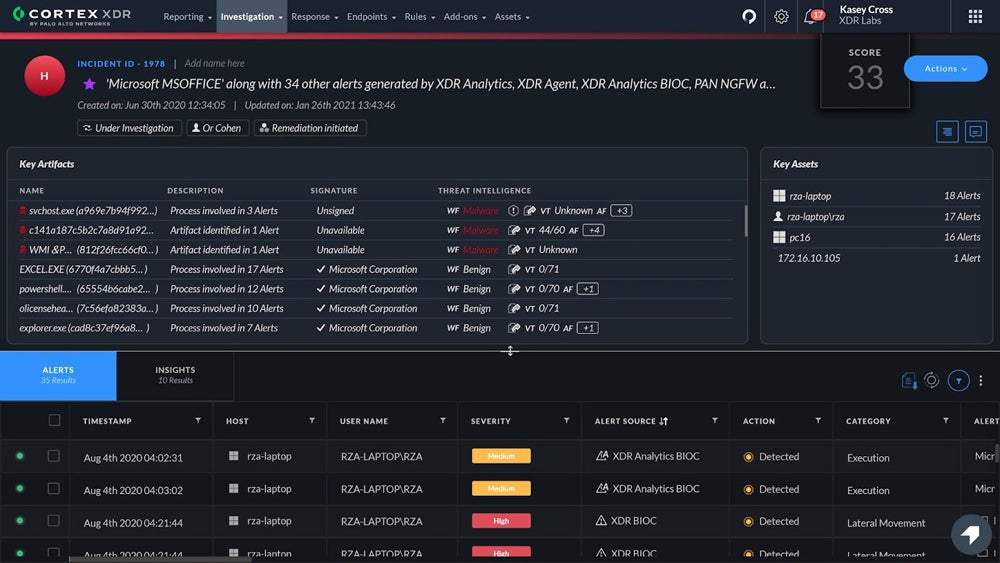
Palo Alto Networks Cortex XDR is a leading extended detection and response platform designed for mature security teams that need deep visibility and advanced threat detection. It combines endpoint, network, and cloud data to deliver unified analytics, along with capabilities like behavioral analysis, threat hunting, and integrated forensics.
Cortex XDR continues to rank among the top-performing solutions in independent evaluations like MITRE ATT&CK, reinforcing its reputation as a highly effective enterprise security platform. It’s particularly well-suited for large organizations with dedicated security resources, offering powerful automation and investigation tools — though its depth and cost may be more than smaller teams require.
Pros
Cons
- Root cause analysis: Automated discovery of threats’ root causes helps security teams focus on other tasks.
- Forensic investigations: Administrators and analysts can perform detailed analysis on endpoint behavior.
- Detection rules: Teams can use Palo Alto’s out-of-the-box and custom rules.
- Incident triage: Cortex XDR filters threats using incident fields and prioritizes them for remediation.
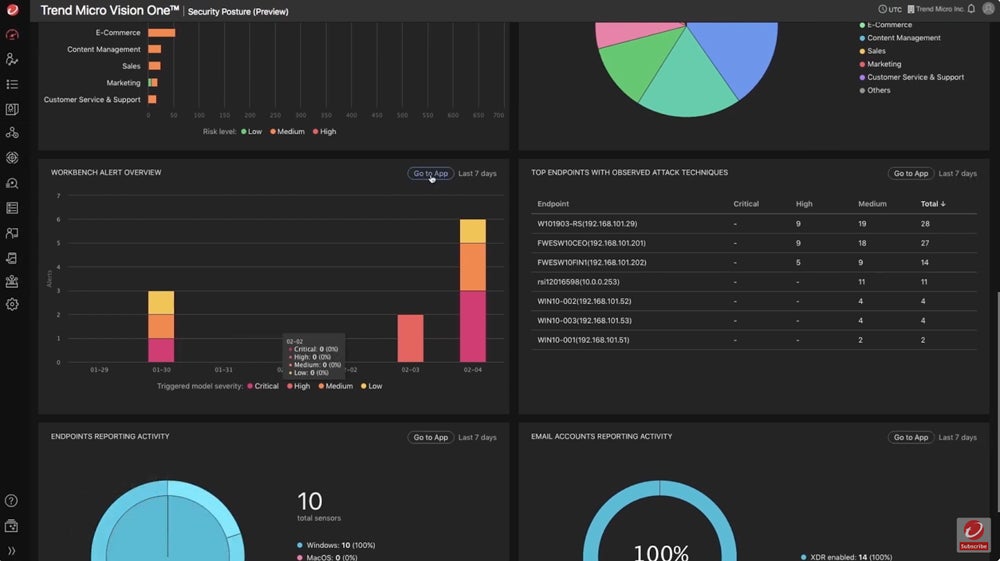
Trend Micro Vision One is an extended detection and response (XDR) platform that combines threat detection, response, and attack surface risk management across endpoints, email, cloud workloads, networks, and identities. As part of Trend Micro’s broader security ecosystem, it provides unified visibility and correlates data across environments to identify and respond to complex threats more effectively.Vision One stands out for its integrated approach to XDR and risk management, along with optional managed XDR services that help organizations with limited security resources. This makes it a strong choice for both mid-sized businesses and enterprises looking for comprehensive protection without needing a fully staffed security operations team.
Pros
Cons
- Guided investigation: Guided threat exploration helps teams identify the best remediation strategies.
- Detection rules: Rules designed to locate and identify threats are added based on discoveries from threat experts.
- Policy adjustments: You can change policies based on recent insights that Vision One discovers.
- Customized dashboards: The boards are relevant to team members’ specific organizational roles, like SecOps or CIOs.
EDR isn’t just a solution you should set and forget (and often, you can’t). Read our guide to tuning your EDR product to learn more about tailoring it to your business’s needs so you’re not just using the default configurations and so hackers don’t have an easy in.
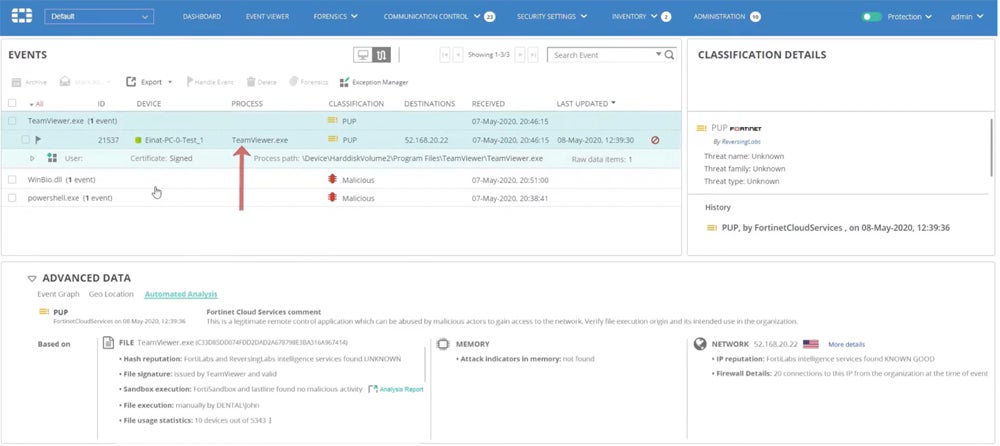
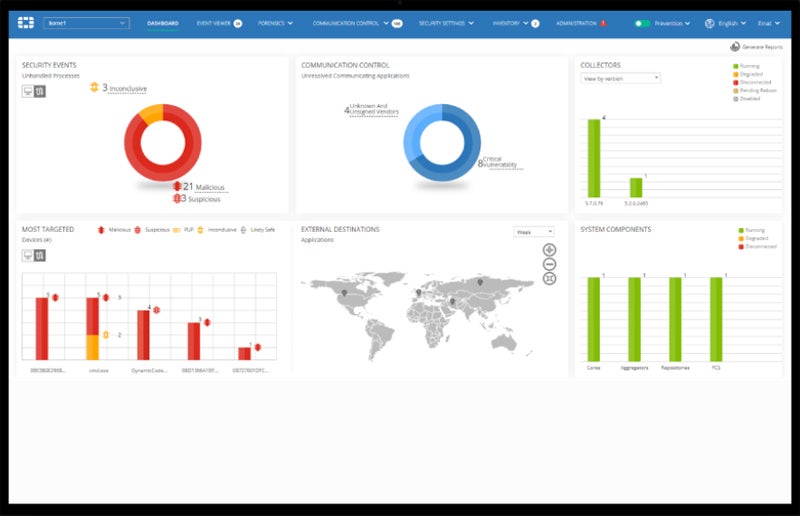
FortiEDR is Fortinet’s endpoint detection and response solution, designed to prevent, detect, and respond to threats across endpoints in real time. As part of the broader Fortinet Security Fabric, it integrates with tools like FortiGate firewalls to provide coordinated visibility and response across network and endpoint environments.FortiEDR emphasizes automated threat prevention, behavioral detection, and rapid response, along with features like threat intelligence, device control, and customizable detection policies. It’s a strong option for organizations already using Fortinet products, but it also stands on its own as a capable EDR solution for teams looking to unify endpoint and network security within a single ecosystem.
Pros
Cons
- Role-based access: Admins can set RBAC to help reduce misconfigurations and restrict access to sensitive controls.
- Security policies: FortiEDR comes with out-of-the-box policies and allows admins to define additional policies as well.
- Incident classification: FortiEDR automatically classifies security incidents so you can prioritize responses.
- Code-tracing: One of the product’s threat-hunting features helps detect the cause of a threat even when the endpoint is offline.
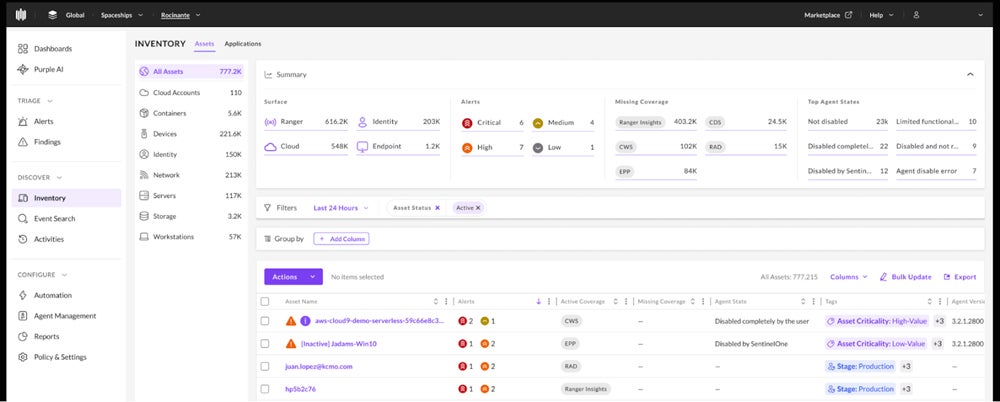
SentinelOne Singularity is a unified security platform that spans endpoint protection, EDR, and full XDR capabilities, giving organizations flexibility based on their security maturity and needs. It uses AI-driven detection, behavioral analysis, and automated response to identify and stop threats across endpoints, cloud workloads, and identities. Singularity continues to stand out for its advanced visibility and investigation capabilities, including features like RemoteOps and integrated forensics that allow teams to analyze endpoint activity in depth. Its robust ecosystem of integrations — through the Singularity Marketplace, including tools like Splunk, ServiceNow, and Zscaler — makes it a strong choice for organizations looking to extend their security stack while maintaining centralized control and insight.
Pros
Cons
- Advanced endpoint controls: Singularity Control helps you manage USB and Bluetooth devices, set firewall controls, and discover rogue devices.
- Managed threat hunting: SentinelOne’s WatchTower service is a 24/7 solution for threat hunting and detailed attack surface assessments.
- Data retention: Singularity’s Commercial and Enterprise plans both retain data for 90 days.
- Identity threat detection and response: Protect your Active Directory and Azure AD environments with tools like misdirection and hiding credentials.
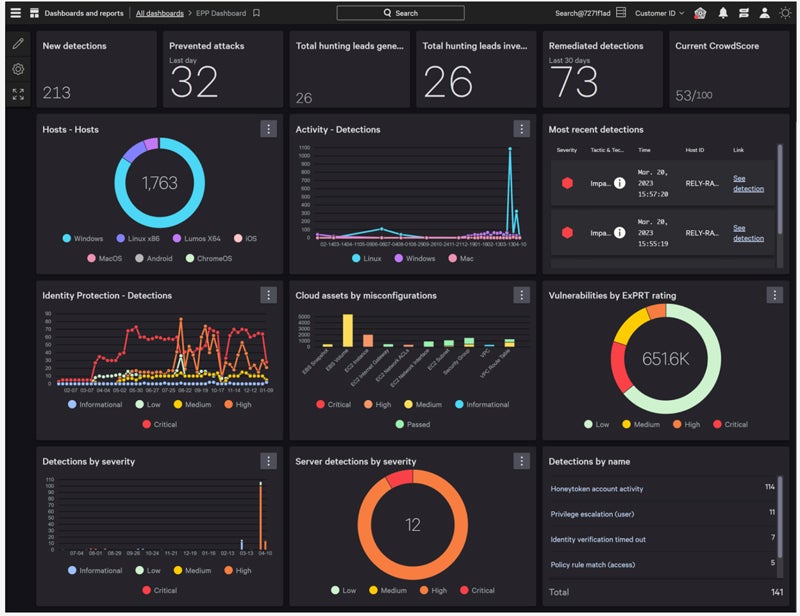
CrowdStrike Falcon is a leading endpoint detection and response (EDR) solution designed for organizations that need advanced threat detection, investigation, and response capabilities. Built on CrowdStrike’s cloud-native Falcon platform, it delivers real-time visibility across endpoints with features like threat hunting, behavioral analytics, and automated response.
Falcon continues to stand out for its strong performance in independent evaluations like MITRE ATT&CK and its highly scalable, lightweight architecture. Its strengths lie in proactive threat hunting, incident prioritization, and deep visibility into attacker behavior, making it a strong choice for security teams looking to mature their detection and response capabilities over time.
Pros
Cons
- Posture assessments: Falcon’s assessments help teams identify unsafe or outdated sensors and settings.
- Threat context: Falcon Insight offers threat attribution to give details about vulnerabilities.
- Falcon Sandbox: Users can analyze unknown malware and other threats in more detail with the sandbox.
- MITRE mapping: Compare threats to the MITRE ATT&CK framework to better understand specific detections.
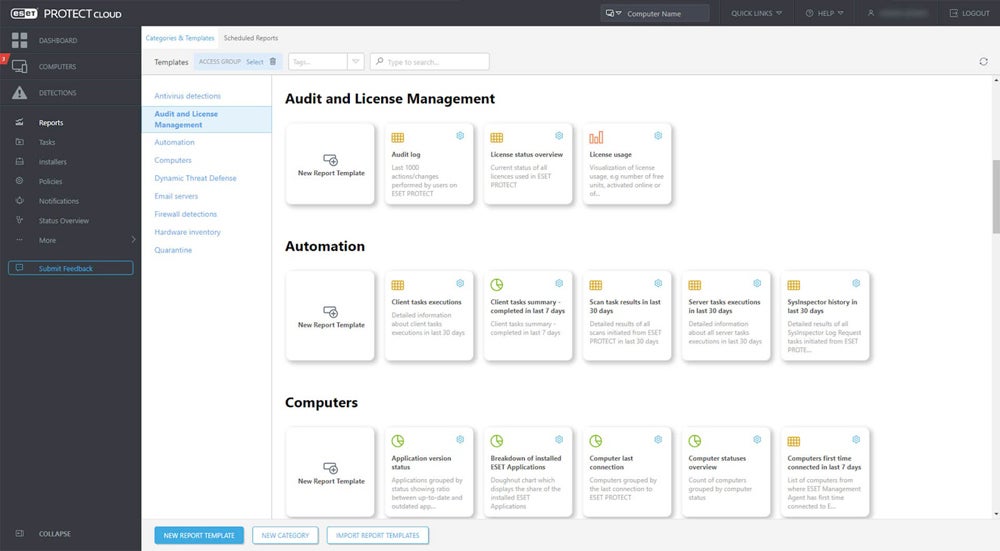
ESET Protect is a unified security management platform that combines endpoint protection, EDR/XDR capabilities, and device control within a single console. It supports a wide range of environments making it a flexible option for organizations with diverse endpoint needs.
ESET Protect continues to appeal to organizations that want a scalable path from traditional antivirus to more advanced detection and response. It includes core features like anti-phishing and ransomware protection, along with more advanced capabilities such as threat detection, network visibility, and optional managed detection and response (MDR) services. This makes it a strong choice for teams looking to build or gradually mature their endpoint security capabilities.
Pros
Cons
- Vulnerability and patch management: ESET automatically scans your operating systems and applications, reports gaps, and patches issues as needed.
- Mobile threat defense add-on: This extra product includes mobile device management for iOS, lateral movement prevention, and app blocking.
- Cloud Office Security: ESET protects Microsoft 365 and Google Workspace apps from threats like phishing and malware.
- Mail security: Microsoft Exchange and IBM email servers receive host server protection and anti-phishing coverage.
Read more about different approaches to network protection, including EDR and MDR, in our guide to the types of network security solutions.
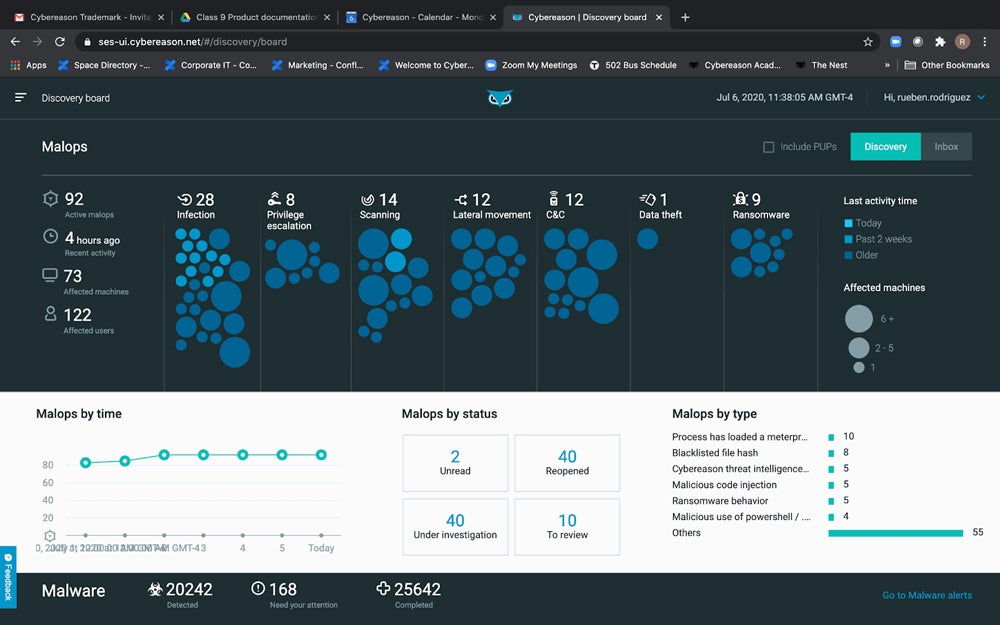
Cybereason Defense Platform is an endpoint detection and response (EDR/XDR) solution designed to provide deep visibility into threats through its MalOp (malicious operation) approach. Instead of analyzing alerts in isolation, it correlates activity across endpoints to present a unified view of an attack, helping security teams understand the full scope and impact of malicious behavior.
Cybereason continues to stand out for its strong visualization and contextual analysis capabilities, enabling teams to quickly investigate and respond to complex threats. Its focus on storytelling and attack correlation makes it a good fit for organizations that want clearer insights into attacker behavior and more efficient incident response workflows, especially in environments with high alert volumes.
Pros
Cons
- Cloud integrations: Cybereason supports significant cloud providers such as Google, AWS, and Microsoft Azure.
- Cloud workload analysis: XDR for cloud also helps your team protect container environments.
- Digital forensics capabilities: Root cause analysis helps businesses investigate incidents in greater detail.
- Visualizations: MalOps centralizes data to give you a comprehensive view of each threat.
5 Key Features of EDR Solutions
Important EDR features include behavioral analytics, automated remediation, vulnerability management, device monitoring and control, and threat intelligence integrations. Use this list of EDR features to narrow down a good fit for your business based on platform capabilities.
Behavioral Detection
Behavioral analytics use machine learning technology, which studies thousands to millions of user and device behaviors to identify abnormal patterns. These patterns could indicate a malicious user or a downloaded strain of malware. Behavioral detection is a crucial EDR feature because it uses an immense amount of data to automatically locate potential threats that would take more time to detect manually. It can be helpful in zero-day attacks, too.
Automated Remediation
Security teams can configure automatic threat remediation by setting remediation rules in advance or using prebuilt ones. A particular action on an endpoint triggers a predefined remediation policy, and without any human interaction, the EDR tool sets remediation in motion. Automation is helpful because it reduces manual remediation work for security admins. It’s a particularly good feature for small or overwhelmed security teams.
Vulnerability Monitoring & Management
EDR solutions consistently monitor endpoints, alerting security teams when the software unearths vulnerabilities that could be exploited. These can include outdated operating systems, backdoors, and misconfigurations. Automated searches for vulnerabilities are more efficient, allowing IT and security teams to catch them quickly and spend time on other tasks.
Device Control
EDR solutions monitor USB devices and other direct-attached storage for malicious behavior. Threat actors use USB and flash drives to infect systems with malware, and employees often plug unfamiliar storage devices into computers without knowing what’s on them. EDR tools allow admins to set strict policies for device use and determine when to give remote access permissions to USB devices.
Threat Intelligence Feed Integration
Threat intelligence integrations are essential because they compile threats and indicators of compromise (IoC) so your team can look for a wide range of behaviors and threats. Many EDR tools integrate with third-party threat intel solutions, so your team has more information to keep the business on top of vulnerabilities.
How I Evaluated the Best EDR Solutions
I evaluated a broad selection of EDR products using a product scoring rubric with six main categories. Each category was weighted based on importance and contained subcriteria with their own weighting, which all factored into the product’s overall score out of five. The eight highest-scoring products made our list, and the scores helped us determine the products’ use cases.
Evaluation Criteria
My most important criteria included major EDR features, like threat intelligence and remediation suggestions, and administration, which looked at features like security policies and APIs. Then I considered customer support, including channels like phone and email, and pricing, which evaluated vendors’ transparency and free trials. I also looked at usability, including documentation and MITRE scores, which evaluate practical detection and protection abilities.
- Core features (25%): I scored products based on the availability of core EDR capabilities like behavioral analytics, device controls, and remediation recommendations.
- Administration (20%): I considered options to create security policies, set role-based access controls, and useful tools like APIs and dashboards.
- Pricing (15%): I evaluated vendors’ pricing availability, free trials, and information provided about licensing or plan length.
- Customer support (15%): I looked at the availability of support channels like phone and chat. I also reviewed the duration of vendor assistance with implementation, review scores, and demo availability.
- Usability (15%): I measured products based on documentation, training videos, and the option to use managed services.
- Criterion winner: Multiple winners
- MITRE scores (10%): The MITRE ATT&CK corporation performs stringent evaluations that test vendors’ detection and protection abilities. I scored products based on their MITRE detection and protection scores. scores, and demo availability.
- Criterion winner: Multiple winners
Frequently Asked Questions (FAQs)
Why Do I Need an EDR Solution?
EDR solutions help IT and security teams monitor, detect, and respond to threats across a growing number of devices, including laptops, servers, and remote endpoints. As cyber threats become more sophisticated — often using fileless attacks and living-off-the-land techniques — traditional security tools are no longer enough. EDR platforms provide continuous monitoring, behavioral analysis, and automated response capabilities to help teams quickly identify and contain threats before they spread.
How Long Do EDR Products Retain Data?
Data retention varies by vendor and deployment model, but many EDR solutions in 2026 offer 30 to 90 days of default telemetry storage, with options to extend retention for longer periods depending on licensing or cloud storage configurations. Some platforms provide extended retention (e.g., 180 days or more) for specific data types or advanced tiers, which can be valuable for compliance, threat hunting, and long-term investigations.
What’s the Difference Between EDR & XDR?
EDR focuses specifically on endpoint activity, such as processes, files, and user behavior on devices. Extended detection and response (XDR) expands this visibility by correlating data across multiple security layers, including endpoints, networks, cloud workloads, email, and identities.
Organizations should evaluate how well a solution integrates data sources and supports unified detection and response, rather than relying on the label alone.
What’s the Difference Between Antivirus, Endpoint Protection Platforms, & EDR?
Antivirus tools primarily detect and remove known malware using signatures and basic heuristics. Endpoint protection platforms (EPP) build on this foundation by adding preventative capabilities such as exploit protection, device control, and policy enforcement. Endpoint detection and response (EDR) goes a step further by continuously monitoring endpoint activity, identifying advanced threats, and enabling investigation and response. In 2026, many solutions combine EPP and EDR capabilities into a single platform, delivering both prevention and response within a unified security solution.
Bottom Line: EDR Is a Core Component of Modern Security in 2026
EDR has become a foundational cybersecurity capability in 2026, alongside tools like firewalls and SIEM platforms. As organizations adopt remote work, cloud services, and distributed environments, protecting endpoints is more critical than ever.
Choosing the right EDR solution depends on your organization’s size, security maturity, and existing technology stack. While these tools provide powerful detection and response capabilities, they still require proper implementation, tuning, and ongoing management. Over time, as your team gains experience and refines processes, an effective EDR platform can strengthen your overall security posture and resilience against evolving threats.
Considering a broader range of security solutions? Read more about the best cybersecurity software for businesses, including cloud access security brokers and next-generation firewalls.
