

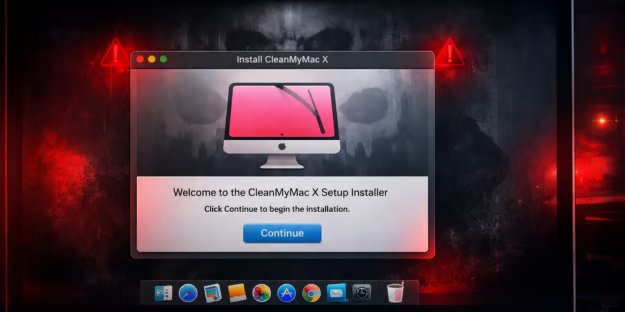
A fake version of the popular Mac utility CleanMyMac is being used to trick users into installing data-stealing malware.
The campaign uses a fraudulent website that instructs visitors to manually run a command in Terminal, which secretly installs a macOS infostealer known as SHub Stealer.
This malware steals “… sensitive data including saved passwords, browser data, Apple Keychain contents, cryptocurrency wallets, and Telegram sessions,” said Malwarebytes researchers.
Inside the CleanMyMac Malware Campaign
The attack begins on a website hosted at cleanmymacos[.]org, a domain designed to closely mimic the official CleanMyMac website operated by MacPaw.
The page is styled to resemble the legitimate product site and even references the real CleanMyMac download page to reinforce the illusion of authenticity.
At first glance, visitors may believe they are accessing a legitimate installation guide or advanced setup option intended for experienced users.
However, instead of providing a traditional macOS installer or disk image, the site instructs visitors to open the Terminal application and paste a command to complete the installation.
How the Malware Is Delivered
If the user follows the instructions and executes the command, the infection chain begins immediately.
Because the command is voluntarily executed by the user, the malware bypasses many of macOS’s built-in security protections, including G atekeeper, notarization checks, and XProtect.
The command itself performs several actions designed to make the activity appear legitimate while quietly retrieving the malicious payload.
First, it prints a line referencing the official CleanMyMac website in the Terminal window so the output appears consistent with a genuine installation process.
Next, the command decodes a hidden link using base64 encoding, which obscures the true destination from casual inspection.
Finally, it downloads a remote script from attacker-controlled infrastructure and pipes it directly into the Z shell (zsh), allowing the script to execute immediately.
This delivery method — referred to as ClickFix — has become an increasingly common technique used in macOS infostealer campaigns.
The attack relies on social engineering to trick victims into executing a malicious command themselves, allowing it to bypass many traditional security controls.
Geofencing and System Fingerprinting
Once the script is executed, it installs a loader that evaluates the target system before proceeding further.
One of the loader’s first checks examines the device’s keyboard configuration to determine whether a Russian-language keyboard is installed.
If such a configuration is detected, the malware immediately stops execution and reports a blocked event back to the attacker’s server.
This behavior represents a form of geofencing commonly seen in malware linked to Russian-speaking cybercriminal groups.
By avoiding systems that appear to belong to users in Commonwealth of Independent States (CIS) countries, attackers attempt to reduce the risk of attracting attention from local law enforcement.
If the system passes this check, the loader gathers information about the device and transmits it to a command-and-control (C2) server.
The data includes the system’s external IP address, hostname, macOS version, and keyboard locale.
Each infected system is assigned a unique identifier, allowing the operators to track victims and associate activity with specific infection campaigns.
After the profiling step is complete, the malware retrieves its primary payload — an AppleScript program designed to interact with macOS using legitimate system automation features.
One of the first actions the script performs is closing the Terminal window that launched it, removing the most visible sign that the user executed anything unusual.
Credential Theft and Data Collection
The malware then attempts to harvest the user’s macOS login password.
To do this, it displays a dialog box labeled “System Preferences” that closely resembles a legitimate macOS authentication prompt and includes the familiar padlock icon used throughout the operating system.
If the victim enters their password, the malware verifies the credentials and uses them to unlock the macOS Keychain, Apple’s encrypted credential storage system.
With access to the Keychain, attackers can retrieve stored passwords, Wi-Fi credentials, application tokens, and other sensitive secrets.
With the password obtained, the malware begins a systematic sweep of the system to collect valuable data.
It extracts saved passwords, cookies, and autofill information from numerous browsers and scans installed browser extensions for cryptocurrency wallet plugins such as MetaMask, Phantom, and Coinbase Wallet.
The malware also targets several desktop cryptocurrency applications, including Exodus, Atomic Wallet, Ledger Live, and Trezor Suite.
Files associated with these wallets are copied into a temporary directory along with other harvested data.
The collected information is then compressed into an archive and transmitted to the attacker’s server, completing the data exfiltration stage of the attack.
Reducing the Impact of macOS Attacks
The following steps can help organizations reduce the risk of macOS malware infections and respond quickly if a compromise occurs.
- Install software only from trusted sources such as the Mac App Store or official developer websites.
- Treat any website that instructs users to paste commands into Terminal as high-risk and block access where possible.
- Use MDM or EDR/XDR tools to enforce application allowlisting and prevent unauthorized scripts or applications from running.
- Monitor for suspicious command-line activity, unexpected LaunchAgent files, and other persistence mechanisms.
- Implement DNS filtering or network security controls to block known malicious domains and detect unusual outbound data transfers.
- Rotate passwords, revoke API keys, and move cryptocurrency funds to new wallets if credentials or seed phrases may have been exposed.
- Regularly test incident response plans, build playbooks around Infostealers, and use attack simulation tools to ensure teams can quickly detect, contain, and remediate macOS malware infections.
Collectively, these measures help limit the blast radius of a compromise while building resilience.
Rising Threat of Infostealer Malware
As infostealer campaigns continue to evolve, attacks like this highlight how social engineering can bypass even strong built-in platform protections when users are tricked into executing malicious commands themselves.
Organizations should focus on limiting execution of untrusted scripts, monitoring suspicious activity, and strengthening endpoint controls to reduce exposure.
Threats that bypass built-in protections are pushing organizations to adopt zero trust solutions.
