

Ahem: My fellow Android-appreciating organisms — I’ve got a confession.
After the better part of two decades of personally using Google’s Chrome browser on both Android and every desktop computer I own, I’ve made the leap into the arms of a shiny new web-weaving seductress. Her name is Vivaldi.
Yes, it feels like a mildly geeky version of virtual adultery (especially with an exotic-sounding name like that). But I’ve long been a proponent of embracing whatever apps and services best serve your individual needs at any given moment and avoiding being beholden to any one company — no matter who that company may be. And now, after all these years, it’s become clear that Chrome is no longer the best web-wading companion for me.
Now, don’t get me wrong: Chrome is completely fine. It’s got plenty of positives, and I’ve certainly got no major beefs with it. I think that’s why it’s been so easy to stick with all this time, for so many of us — ’cause it gets the job done, and it’s familiar. There’s something to be said for that.
But as a person who’s always curious about new technology, constantly striving to optimize my digital environments, and endlessly working to make ’em all as efficient as humanly possible, I came to realize that “fine” wasn’t as good as it’d get anymore. And, lemme tell ya: Particularly if you’re a productivity-minded browser power-goober like me, stickin’ with Chrome largely just because it’s what you use and know is causing you to miss out on some incredibly interesting and advantageous upgrades.
And you know what? You aren’t alone. In fact, the vast majority of monitor-staring mammals work exclusively within the confines of Chrome. (The browser commands somewhere around three-quarters of the worldwide desktop computer browser market as of early 2026, according to some recent estimates.)
Again: It’s easy to understand why. Heck, I was one of those numbers myself — up until just a matter of months ago. I’d tried pretty much every other browser out there at some point, and I just hadn’t found anything meaningfully different and better enough for my needs to make it worth the hassle of switching over and dealing with all that adjustment.
Until now.
And my goodness, it wasn’t an easy change to make.
[Get level-headed knowledge in your inbox with my free Android Intelligence newsletter. Three new things to try every Friday — and my Android Notification Power-Pack as a special welcome bonus.]
My Chrome to Vivaldi adapting adventure
I’ve got an entire separate article about what ultimately won me over with Vivaldi and which exact features I’m finding to be invaluable within it. I’d highly recommend giving it a read.
Here, I want to focus specifically on how I managed to overcome the hurdle of such a challenging change — and it isn’t about anything technical with the transition, either. In fact, Vivaldi makes it almost shockingly easy to move your data over from Chrome and import all your basic settings and history.
What I found, though, was two-fold:
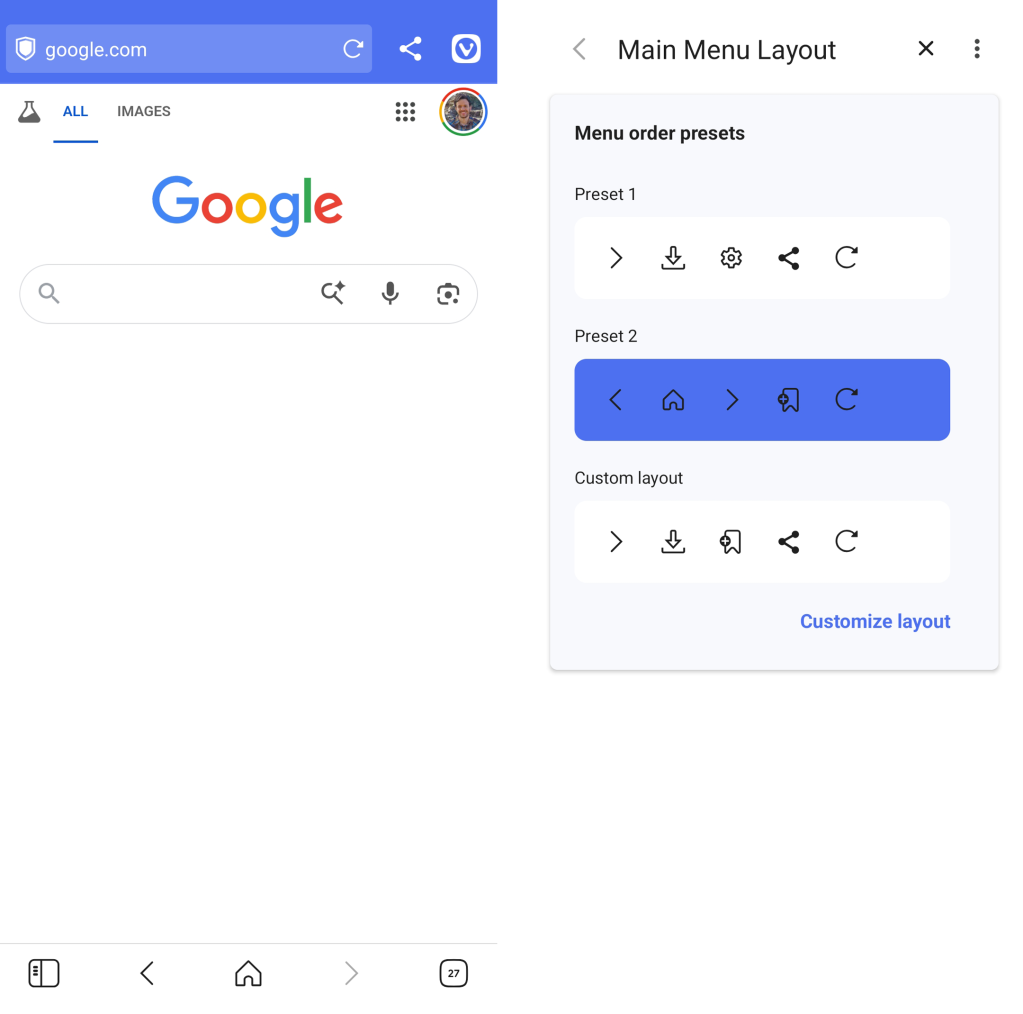
- On the Android front, moving into the Vivaldi app was actually quite painless. I started out by using it here and there, as a supplement to the standard Android Chrome browser, and quickly realized how much I enjoyed and appreciated its experience and the added niceties it gave me — including seemingly endless customization over every last element of the browser interface and a whole slew of on-demand privacy and web-clutter-cutting options. It wasn’t long before I changed my Android browser default and was using it full-time.
JR Raphael, Foundry
- On the desktop front, the change presented far more friction. In fact, I’ve been using the Vivaldi Android app for months now — since sometime in the fall of 2025 — and it wasn’t until early this year that I made the leap over to Vivaldi on my workday Windows computer, too.
What changed was that I finally put my finger on the problem.
If there’s one real hurdle with Vivaldi — and one thing that kept me, personally, from fully moving into its desktop version for so long — it’s that it really can be overwhelming to adapt and get accustomed to all the new interfaces and elements it gives you, especially within the feature-rich desktop domain and with an environment so central to everything we do these days.
As I noted in my in-depth Vivaldi exploration, with as much time as most of us spend in our browsers on computers at this point, the browser essentially is our desktop — and our virtual office, too. And leaving the comfort of familiarity behind for something so unknown and unfamiliar is a daunting prospect.
Vivaldi, in particular, is quite different from Chrome on a computer at first exposure. And it has a lot of new options, features, and possibilities to ponder.
JR Raphael, Foundry
With that in mind, let me tell you what worked for me:
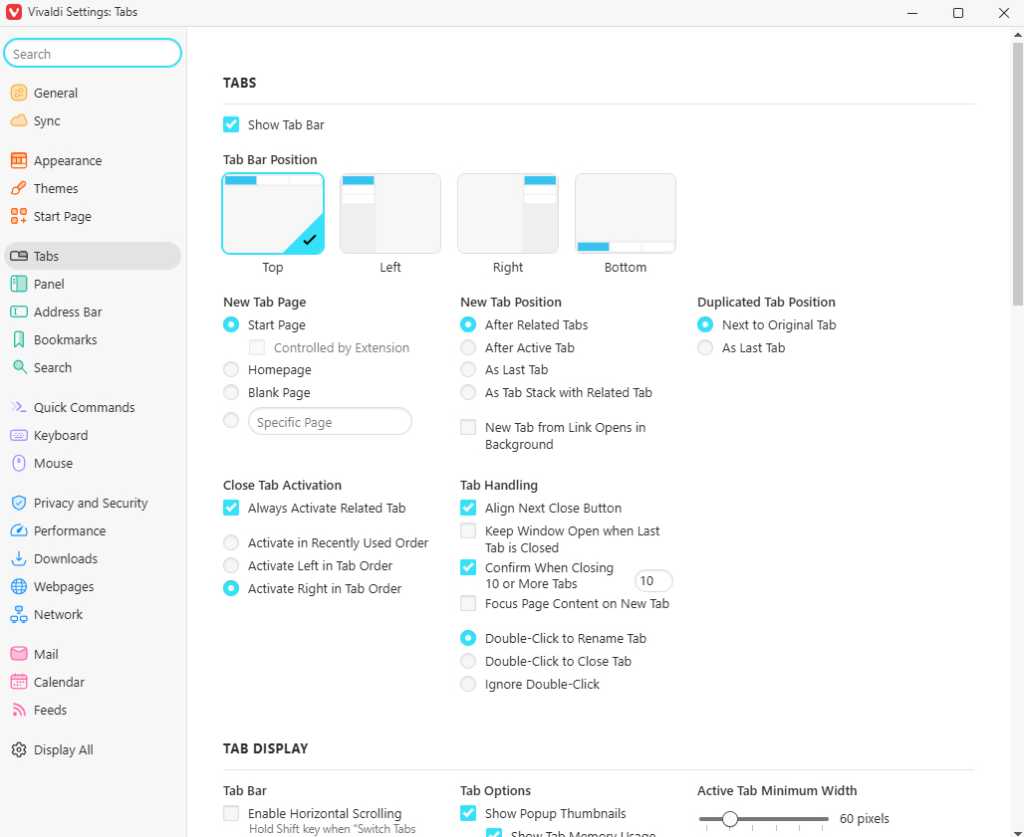
- First, I took advantage of Vivaldi’s immense customization potential and scaled back some of the more jarring differences. For me, that meant eliminating the on-by-default left-of-screen vertical tab bar — which was just too different of an interface for me at first, especially amidst everything else I was adjusting to — and also changing the “Tab Cycling” setting to “Cycle in Tab Order” and the “New Tab Position” setting to “After Related Tabs,” which were two subtle-seeming returns to the standard Chrome behavior that really kept throwing me off in their different-by-default implementations.
- Second, I forced myself to ignore most of the new Vivaldi features — all that good stuff I go over in that other article! — and focus on just one new feature or element at a time, for at least a few days each. There is a lot to take in with this program, and if you try to ingest all of it at once, it’s bound to overwhelm you and lead to a retreat. But if you explore one new piece of the puzzle at a time, really see how you feel about it and get in the habit of using it (or, alternatively, disabling it — if it just isn’t for you), it’s a much more manageable and enjoyable transition.
- Third, after that initial targeted series of adjustments, I mostly ignored the mountain of Vivaldi settings for a while. There’s just too much there to reasonably process at the get-go. I’m still peeking in periodically and finding something new and realizing I can customize it in a way that suits my working style better (and then sometimes realizing that a similar option also exists that I hadn’t yet tapped into on Android). Doing it all at once before you even have a feel for the browser just isn’t reasonable.
Last but not least, remember — particularly for desktop purposes — that Vivaldi is based on the same Chromium foundation as Google’s Chrome browser. That means you can use the standard Chrome Web Store to find and install extensions as needed and bring over the same tools you’ve always had in your browser setup. That, too, helps a lot with making yourself comfortable and creating an optimal environment that works for your needs (though I always recommend eliminating any extensions you aren’t actively using, and a browser change is a perfect time to perform an audit and get rid of any dead weight).
If you follow this approach and take the time to wrap your head around everything Vivaldi offers, the transition doesn’t have to be difficult. And — who knows? — you might find yourself feeling the same sense of excitement I have over a guilt-free virtual dalliance where the only lasting impact is your own happiness and efficiency.
Check out my free Android Intelligence newsletter for even more thoughtful knowledge — including three new things to try each Friday and a trio of useful Android notification tools to get you going.
