

This guide is for security professionals, IT teams, and investigators evaluating the best digital forensics tools in 2026, covering top platforms and how they support modern investigations.
As cyber incidents, insider threats, and legal disputes become more complex, organizations need reliable tools to collect, analyze, and preserve digital evidence across endpoints, networks, and cloud environments.
In this article, we highlight six leading digital forensics solutions, breaking down their strengths and ideal use cases to help you choose the right fit for your organization in 2026.
Here are our picks for the best six digital forensics tools:
Top Digital Forensics Software Compared in 2026
The following table gives a brief overview of our six top products, including features like data extraction and free trial availability:
✔️=Yes ❌=No/Unclear ➕=Add-On

Exterro FTK
Best Forensics Tool Overall for a Mix of Pricing & Features
Overall Rating: 3.9/5
- Core Features: 3.7/5
- Advanced Features: 4.3/5
- Deployment & Usability: 4.5/5
- Customer Support: 2.4/5
- Pricing: 5/5
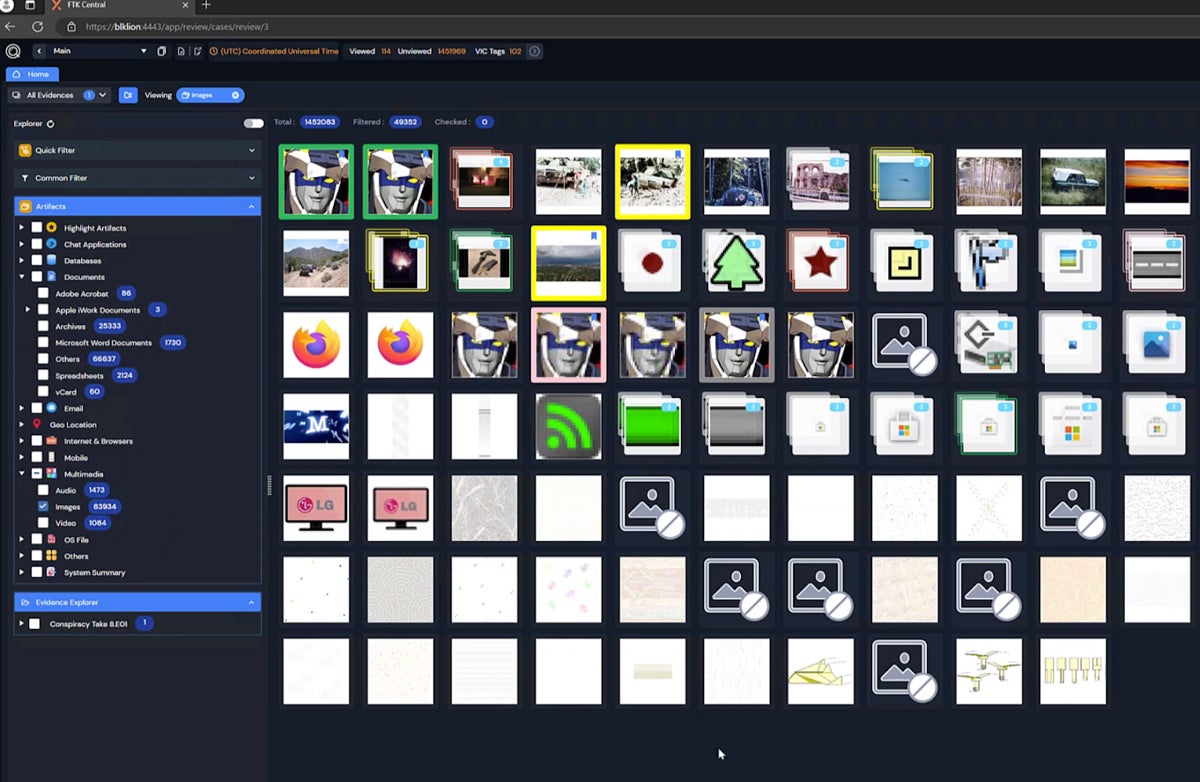
Exterro Forensic Toolkit (FTK) remains a leading digital forensics platform in 2026, offering advanced capabilities for analyzing data across endpoints, disks, and mobile devices. Key features include efficient data indexing and search, file recovery, remote data collection, and support for artifact analysis such as images and communications. Its integration with broader eDiscovery and incident response workflows makes it especially valuable for organizations handling both security and legal investigations.
Exterro continues to stand out for its comprehensive feature set and relatively transparent licensing compared to many competitors. However, organizations that prioritize hands-on support or managed services may want to evaluate alternatives with stronger customer support offerings, depending on their internal expertise and resource needs.
Pros & Cons
| Pros | Cons |
|---|---|
| Free trial lasts a month | Unclear customer support availability |
| Supports extractions from mobile devices | Command line interface not available |
| Tech partnership with Palo Alto Cortex XSOAR | Unclear level of cloud app support |
Pricing
Key Features
- Portable cases: Send data about a case to external reviewers and receive feedback.
- Facial and object recognition: FTK identifies identical image content automatically.
- Mac data analytics: Process data like encrypted Apple file systems.
- Thumbnail review: Inspect and categorize multimedia images by hovering over them.

IBM QRadar SIEM & Forensics
Best for Enterprise Forensics & SIEM
Overall Rating: 3.5/5
- Core Features: 3.8/5
- Advanced Features: 3.5/5
- Deployment & Usability: 3.4/5
- Customer Support: 3.7/5
- Pricing: 3.2/5
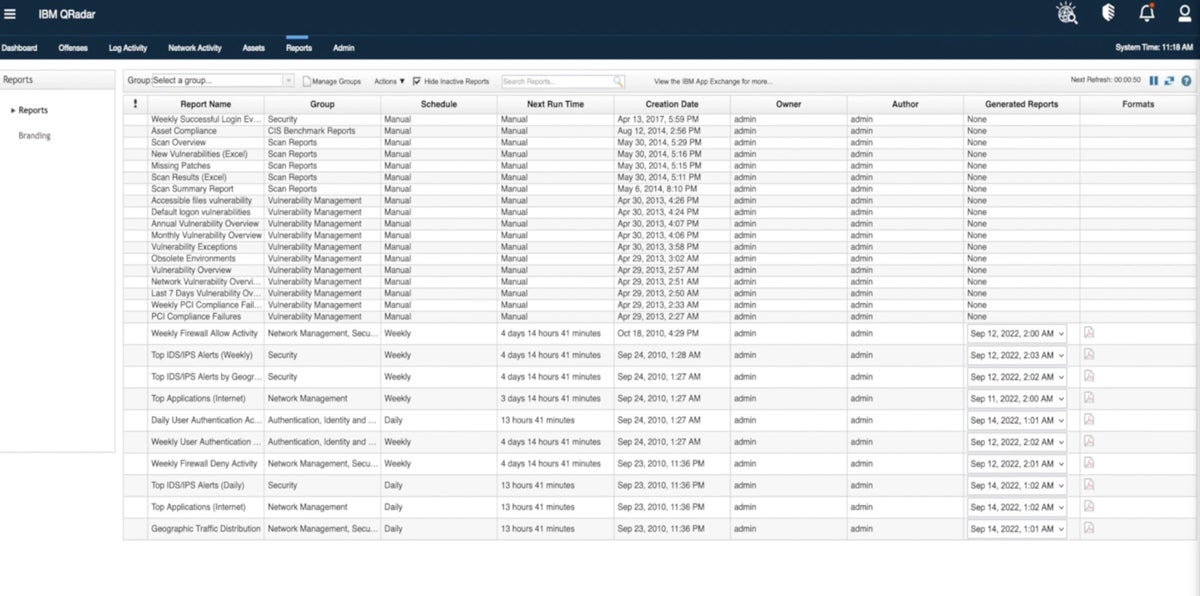
IBM QRadar is a security information and event management (SIEM) platform that includes forensic investigation capabilities as part of its broader threat detection and response ecosystem. It provides features like log analysis, network visibility, threat hunting, and compliance reporting, allowing security teams to investigate incidents and reconstruct attack timelines from collected data.
QRadar’s forensic capabilities are typically delivered through integrated modules rather than as a standalone product, making it well-suited for large enterprises that want to combine SIEM, detection, and investigation workflows in a single platform. However, as cloud adoption has grown, organizations may want to evaluate how well QRadar aligns with their cloud-native environments and consider alternatives that offer deeper integration with modern SaaS and multi-cloud infrastructures, depending on their needs.
Pros & Cons
| Pros | Cons |
|---|---|
| Combines SIEM and forensics in one product | No free trial offered |
| Advanced response features like incident alerts | Can be hard to get initial info from sales |
| IBM provides a pricing calculator | Lacks support for cloud apps |
Pricing
Key Features
- Network analytics: View network threat detections and dashboard visualizations.
- Compliance add-ons: Use QRadar SIEM extensions to comply with regulations.
- IBM X-Force integration: View recent threat intelligence data like malicious URLs.
- File recovery: The Forensics product finds raw capture data on specified devices.

LogRhythm NetMon & SIEM
Best Forensics Solution for Customer Support
Overall Rating: 3.3/5
- Core Features: 3.3/5
- Advanced Features: 3.6/5
- Deployment & Usability: 2.8/5
- Customer Support: 4.4/5
- Pricing: 1.8/5
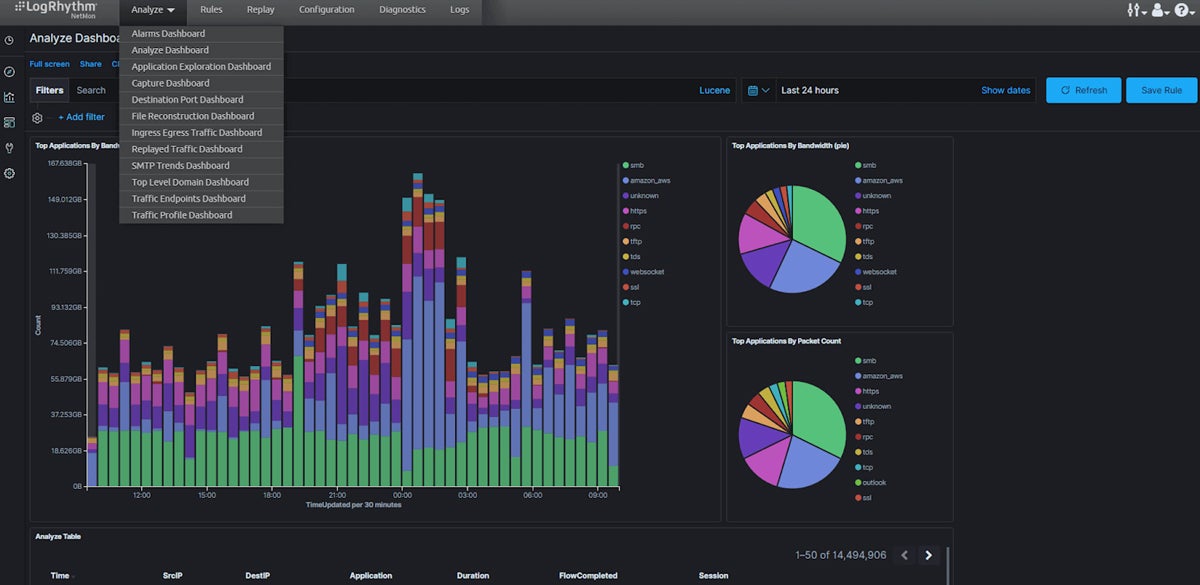
LogRhythm (now part of the combined LogRhythm + Exabeam platform) delivers SIEM and network forensics capabilities through its integrated solution, including NetMon for deep packet analysis, network visibility, and threat detection. This unified platform reflects the broader industry shift toward combining SIEM, user behavior and entity analytics (UEBA), and forensic investigation into a single workflow, enabling security teams to detect, investigate, and respond to threats more efficiently.
The merged platform emphasizes advanced analytics, centralized visibility, and improved incident response, along with strong customer support options that LogRhythm has historically been known for. While it provides solid network forensics and investigation capabilities, organizations requiring deep endpoint or mobile device forensics may still need dedicated tools like Exterro or Magnet AXIOM to complement their security stack.
Pros & Cons
| Pros | Cons |
| Incident response features through SIEM | No free trial and limited pricing info |
| 24/7 support plan available | Lacks mobile device support |
| Good choice for network-focused forensics | Lacks data extraction technology |
Pricing
Key Features
- Threat scores: A risk-based priority calculator helps teams determine risk significance.
- Application recognition: NetMon identifies more than 3,500 applications.
- Incident response: The SIEM solution helps teams find and remediate security threats.
- Deep packet analytics: Extract and view network packet data from OSI layers 2-7.
Read more about different types of network security, including threat intelligence and network access control.

Cyber Triage
Best Solution for Cybersecurity-Specific Incident Response
Overall Rating: 3.2/5
- Core Features: 3.3/5
- Advanced Features: 4.8/5
- Deployment & Usability: 2.5/5
- Customer Support: 0.9/5
- Pricing: 4.3/5
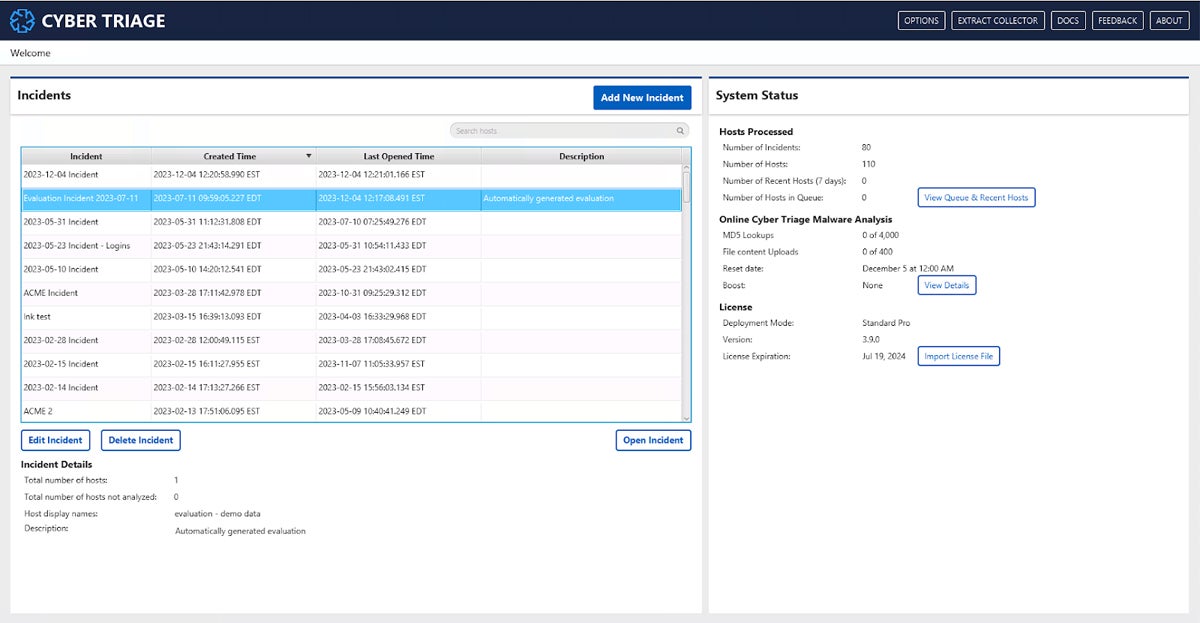
Cyber Triage is a digital forensics and incident response (DFIR) tool designed to help security teams quickly investigate and prioritize threats on endpoints. It focuses on rapid triage by analyzing forensic artifacts, identifying indicators of compromise, and highlighting the most critical issues for responders. Key capabilities include automated malware analysis, artifact scoring, and guided investigation workflows to accelerate incident response.
Cyber Triage integrates with leading security tools such as EDR and SIEM platforms, including solutions like SentinelOne and Splunk, making it a strong fit for organizations looking to connect detection and investigation processes. While it excels at endpoint-focused investigations, it has limited support for mobile device forensics, so teams needing broader cross-platform capabilities may want to pair it with more comprehensive forensic tools.
Pros & Cons
| Pros | Cons |
|---|---|
| Can run on a laptop, in the cloud, or on-premises | Limited info on customer service availability |
| Combines incident response and forensics | No cloud app support |
| Integrates with SIEM and EDR | No mobile device support |
Pricing
Key Features
- Artifact scoring: Cyber Triage helps prioritize incident evidence by ranking it.
- Malware scanning: Over 40 scanning engines increase the chances of finding malware.
- Air-gapped labs: Export hash values into a text file format through offline mode.
- IOCs: Cyber Triage identifies indicators of compromise like signs of potential malware.

Encase Forensic
Best Solution for Managed Digital Forensics Services
Overall Rating: 3/5
- Core Features: 3.5/5
- Advanced Features: 2.2/5
- Deployment & Usability: 3.3/5
- Customer Support: 3.9/5
- Pricing: 2.3/5
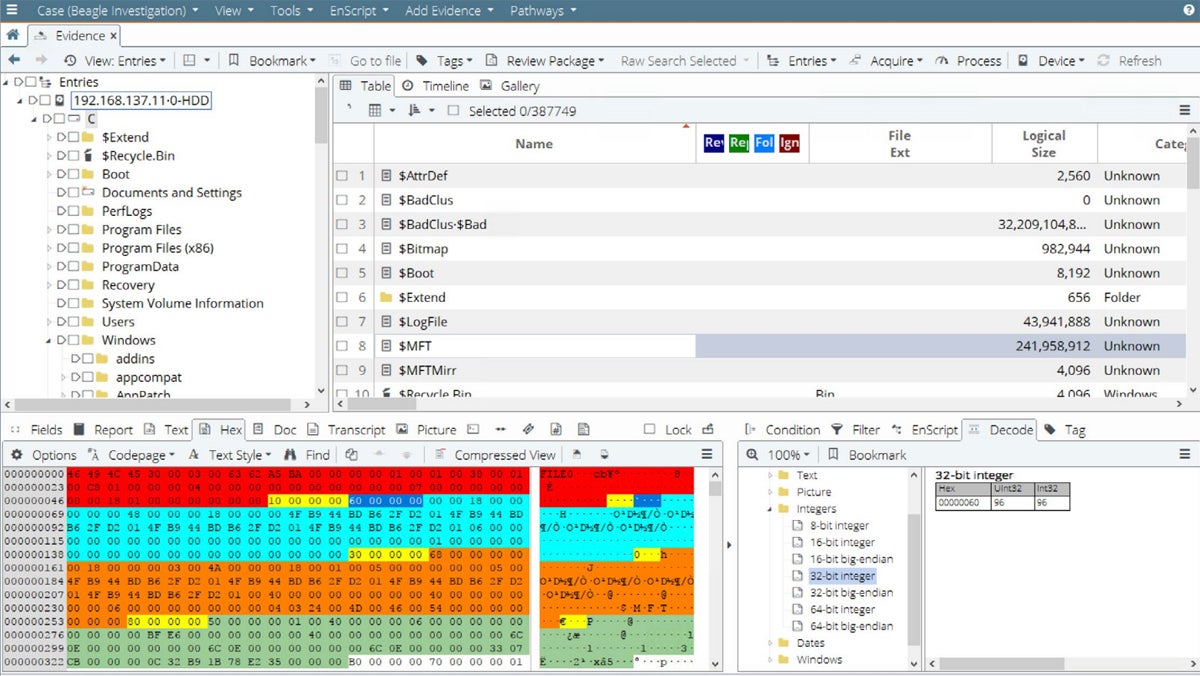
EnCase Forensic, now part of OpenText’s cybersecurity portfolio, remains a well-established digital forensics platform in 2026 with support for investigations across Windows, macOS, Linux, and select mobile data sources. It enables investigators to collect, preserve, and analyze digital evidence from endpoints, storage devices, and various applications, including artifacts from messaging platforms and online activity.
EnCase is commonly used by enterprises, law enforcement, and investigative teams that require reliable, court-admissible evidence handling and structured forensic workflows. It is typically deployed as an on-premises or managed solution, making it a strong fit for organizations that need controlled environments and proven methodologies.
Pros & Cons
| Pros | Cons |
|---|---|
| Investigates Mac, Windows, and Linux devices | No free trial |
| Verakey integration for mobile data extraction | Lacks SIEM integration |
| Remote data collection is available | Availability of some DF features is unclear |
Pricing
Key Features
- Optical character recognition: OCR finds and extracts text data in images and PDFs.
- AI and ML: Identify incriminating content with machine learning and artificial intelligence.
- App activity collection: Supported apps include LinkedIn, Instagram, and Twitter.
- Browser and location data: Encase also collects internet and location history.

Magnet AXIOM Cyber
Best Solution for Diverse Deployment Scenarios
Overall Rating: 3/5
- Core Features: 2.8/5
- Advanced Features: 2.4/5
- Deployment & Usability: 4.4/5
- Customer Support: 3/5
- Pricing: 2.5/5
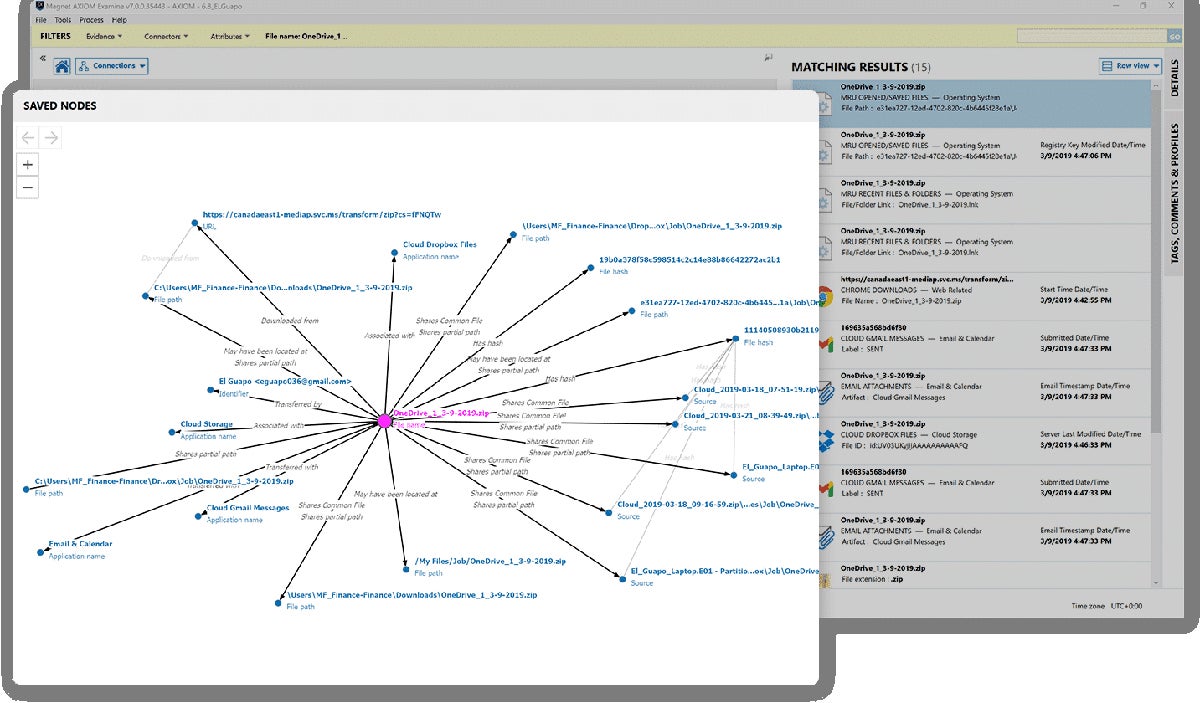
Magnet AXIOM Cyber is a digital forensics and incident response (DFIR) platform designed to help organizations investigate and respond to cyber incidents across endpoints and cloud environments. It offers capabilities like remote data collection, artifact analysis, and intuitive data visualization, supporting Windows, macOS, and Linux systems. AXIOM Cyber can be deployed in cloud environments such as AWS and Azure, making it well-suited for modern, distributed infrastructures.
AXIOM Cyber continues to stand out for its flexibility and integration capabilities, including support for mobile data through Magnet Verakey and other ecosystem tools. This makes it a strong choice for organizations operating across multiple operating systems and cloud platforms. While it excels in investigation and response workflows, some advanced data extraction functions may rely on companion tools within the Magnet ecosystem, depending on the use case.
Pros & Cons
| Pros | Cons |
|---|---|
| Supports Mac, Linux, and Windows computers | No incident alerts |
| Can be deployed in the cloud | Pricing info isn’t transparent |
| Both phone and email support are available | Length of the free trial is unclear |
Pricing
Key Features
- Remote collections: You can collect data from off-network endpoint computers.
- Data visualization: AXIOM Cyber shows connections between various artifacts.
- Threat scoring: Integration with VirusTotal allows users to better prioritize threats.
- Incident response: AXIOM Cyber is a DFIR product and offers response and detection.
Top 5 Features of Digital Forensics Software
Digital forensics products vary somewhat in their feature sets, but there are a few core capabilities that your future product should have. Data extraction, reporting functionality, data recovery, prioritization, and integrations with security platforms are all critical to conducting a successful forensics case and tracking the most important information.
Data extraction pulls information from places it would otherwise be hard to find. If a criminal deletes a file from their computer, it won’t be simple to collect by ordinary means. But a digital forensics product has special capabilities that help it reconstruct or recover data that’s been damaged or deleted, which is critical for cases in which a criminal tried to cover their tracks or information has simply been lost over time.
Reporting
Reporting functionality is important for almost every security product, but for digital forensics, it’s especially critical. Every piece of information could affect not only a company’s security but also a person’s life or livelihood. Reports help users present data clearly to business leaders, but they might also need to be provided to police and government officials.
Data Recovery
Some data appears to be lost, but forensics tools should be able to recover data that wouldn’t be found otherwise. That data could play a critical role in a case, and a threat actor or criminal might have attempted to hide the information. Digital recovery features are valuable and often necessary for a full forensics toolkit.
Threat Prioritization
Prioritizing alerts, threats, or other indicators of compromise take different forms, like threat scores, but a digital forensics tool should have some method of ranking potential issues. With prioritization features, teams will be better positioned to handle the most important alerts or potential cases first.
Security Integrations
Digital forensics tools should ideally integrate with at least one other security product, whether that’s a SIEM, EDR, or other type of incident response product. This product might also be a security management tool that centralizes multiple products. The best integrations depend on your business’s use cases and needs, though, so consider those before making a final selection.
How We Evaluated Digital Forensics Software
We used a product scoring rubric to compare a range of digital forensics tools, developing five main criteria with key characteristics of forensics products. The percentages below show how we weighted the criteria. Each criterion included multiple subcriteria with their own weighting. The total scores reflect how well each product ranked in our overall evaluation based on the criteria it met. After we scored the products, the six that scored best made our list.
Evaluation Criteria
The most important criteria we scored were core forensics features like data extraction and advanced features, like threat scores and SIEM integrations. We also considered deployment and usability, including product documentation, mobile device support, and supported operating systems. Lastly, we looked at customer support availability, including channels like phone and email, and pricing, like free trials and licensing details.
- Core features (30%): We looked at the most important forensics features, like data extraction and reporting functionality.
- Advanced features (25%): We reviewed products based on advanced capabilities like SIEM integrations and threat scores.
- Deployment and usability (20%): We evaluated ease of use and deployment with criteria like mobile device and operating system support.
- Customer support (15%): We scored products based on the availability of phone and email, as well as demos, support hours, and composite user reviews.
- Pricing (10%): We used criteria like free trials, pricing transparency, and license details to score our pricing category.
Frequently Asked Questions (FAQs)
What Types of Cases Require Digital Forensics Tools?
Digital forensics tools are used in both legal investigations and cybersecurity incidents involving computers, mobile devices, networks, or cloud environments. They help recover, preserve, and analyze data that may be hidden, deleted, or intentionally altered.
Common use cases include cybercrime (such as ransomware or data breaches), insider threats, fraud, intellectual property theft, and compliance investigations. Law enforcement may use them for criminal cases, while businesses rely on forensics to investigate security incidents, support audits, and understand attacker behavior. In 2026, forensics is increasingly important for cloud, SaaS, and endpoint investigations, not just traditional devices.
Are Digital Forensics Tools Difficult to Use?
Digital forensics tools can be complex, especially for advanced investigations, but many modern platforms are designed to be more accessible than in the past. Solutions now often include automated workflows, guided analysis, and intuitive dashboards to help security teams prioritize and investigate incidents more efficiently.
That said, there is still a learning curve — particularly for deep forensic analysis or legal evidence handling. Organizations should consider their team’s expertise and look for tools that offer strong documentation, training resources, or managed services if needed.
What Are Common Digital Forensic Product Capabilities?
Modern digital forensics tools are designed to collect, analyze, and present digital evidence across a wide range of environments. They can acquire data from endpoints, disks, mobile devices, and cloud services, as well as recover deleted or hidden files. These tools also support artifact and timeline analysis to help reconstruct events, along with remote data collection for live investigations. Additionally, they provide reporting and evidence preservation capabilities to support legal and compliance requirements. In 2026, many digital forensics solutions also integrate with SIEM, EDR, and cloud platforms, enabling faster incident response and more comprehensive visibility across systems.
Bottom Line: Digital Forensics Software Is a Critical Investment
Digital forensics tools are no longer limited to niche legal use cases — they are a critical component of incident response strategies. They enable organizations to investigate threats, understand what happened, and take action with confidence.
The right solution should align with your organization’s technical expertise, investigation needs, and compliance requirements. Whether you’re responding to cyber incidents or supporting legal cases, investing in a capable digital forensics platform helps ensure you can uncover the truth and respond effectively in an increasingly complex digital landscape.
Is your organization looking for specifically Linux-based forensics capabilities? Read about our picks for the best Linux distros for pentesting and forensics next.
